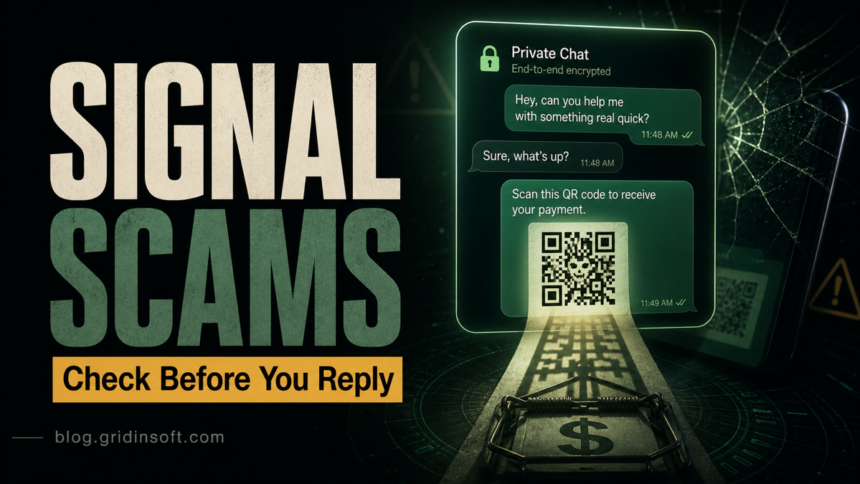
Signal app scams are not caused by Signal’s encryption being broken. The usual danger is social engineering: a stranger, fake recruiter, fake friend, romantic contact, or fake “Signal support” message tries to make you send money, share a code, scan a QR code, open a link, or move a conversation away from a platform with stronger moderation.
The answer for most readers is simple: do not reply to unexpected messages, never share SMS codes or Signal PINs, do not scan device-linking QR codes from strangers, and check Settings > Linked Devices if you think someone may have connected to your account. If money, identity documents, account codes, or cryptocurrency are involved, treat it as fraud immediately, not as an awkward chat.
Why Signal Scams Rank Differently Now
Older Signal scam guides focused mostly on romance, fake jobs, and impersonation. Those still matter, but the current search intent has widened. Searchers now ask whether Signal itself is safe, why a stranger wants to move to Signal, whether a QR code can hijack an account, what to do after sharing a verification code, and whether a “wrong number” chat is the start of a crypto or investment scam.
That is why this page was refreshed. The stronger 2026 answer is not just a list of scam types. It should separate app safety from people abusing the app, then give a quick triage path for victims.
Is Signal Safe, or Is Signal a Scam?
Signal is a legitimate encrypted messaging app. The scam usually happens in the conversation around it. Signal cannot verify that a display name is really your friend, employer, romantic interest, support agent, or investment advisor. Signal’s own safety guidance warns users not to share verification codes, recovery keys, passwords, payment information, or PINs, and says to check linked devices when you are concerned about account access.
Think of Signal like a locked room: the room can be private, but the person inside can still lie. Encryption protects message contents from outsiders. It does not prove that the sender is honest.
Common Signal App Scams in 2026
1. Wrong-Number and “Pig Butchering” Chats
A wrong-number scam starts with a harmless message: “Is this Anna?”, “I got a new phone”, or “Sorry, wrong person.” If you answer, the stranger keeps the conversation going, becomes friendly, and slowly introduces money, trading, crypto, or a personal emergency.
The key sign is not the first message. It is the refusal to end the conversation after you say they have the wrong number. A real mistake normally ends quickly. A scammer treats your reply as proof that the number is active and that you may be willing to talk.
2. Fake Job Offers and Remote Work Interviews
Fake recruiters often start on LinkedIn, job boards, email, or social media, then ask you to continue on Signal for “privacy” or “faster onboarding.” Once there, they may ask for a background-check fee, banking details for payroll, identity documents, a direct-deposit form, or a deposit-and-refund task involving a fake check.
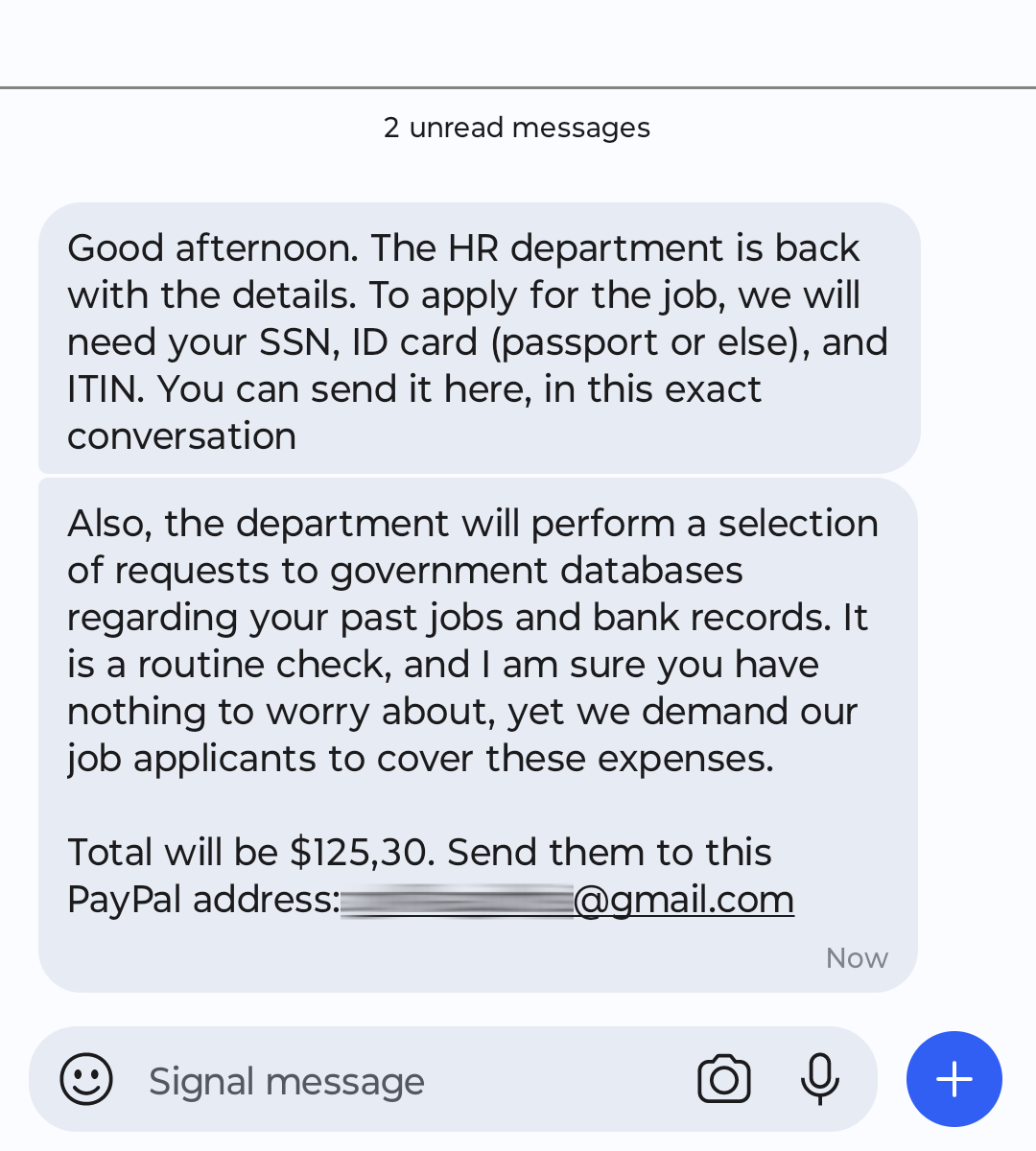
A real employer may use video calls or email, but it should not require payment to start a job, ask you to buy equipment from a special vendor with a check they sent, or request your Social Security number before a verifiable hiring process.
3. Romance and Investment Lures
Romance scams often move slowly. The person builds emotional trust, avoids meeting in person, and later asks for help with travel, medical costs, customs fees, or family trouble. A newer version blends romance with investing: after weeks of friendly chat, the scammer casually introduces a “safe” crypto, forex, stock, or gold platform.
The Federal Trade Commission reported that, in 2025, social media was tied to $2.1 billion in reported scam losses, with investment scams causing the largest share of losses from social-media-originated scams. Romance scams also remained a major social-media-driven loss category. Signal may be only the private chat channel after the first contact happens somewhere else.
4. Impersonation of Friends, Family, or Coworkers
An impersonator may copy a name and profile picture, mention a real shared contact, or claim they had to make a new Signal account. The story usually becomes urgent: send money, buy gift cards, open a link, share a code, or keep the request secret.
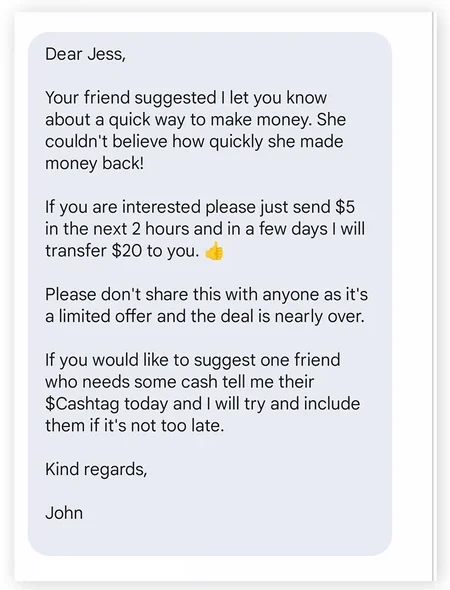
Verify the person outside Signal. Call the saved phone number you already had, use a known email address, or ask a private question the real person can answer. Do not use the phone number or link the suspicious message gives you.
5. QR Code and Linked-Device Hijacking
This is the most important modern addition. Signal supports linked devices for desktop and iPad use. Google Threat Intelligence reported campaigns where attackers abused this legitimate feature by tricking targets into scanning malicious QR codes that linked the victim’s Signal account to an attacker-controlled device. A successful link can let the attacker receive messages in real time without fully compromising the phone.
For normal users, the practical rule is: only link a device from inside your own Signal settings. Do not scan a QR code sent as a “security check”, “group invite”, “support step”, “job interview verification”, or “payment confirmation”. For more technical detail, see Gridinsoft’s separate report on Signal linked devices abused by attackers.
6. Fake Signal Support or Security Messages
Scammers may claim your Signal account is compromised and ask for an SMS verification code, Signal PIN, recovery key, screenshot, or QR scan. Signal’s own guidance says Signal will never contact you in-app as a support or security bot. If someone asks for a code or PIN, assume fraud.
Fast Red Flags
- A stranger keeps chatting after a “wrong number” correction.
- Someone wants to move from a job board, dating app, or social network to Signal immediately.
- The conversation quickly becomes about money, crypto, gift cards, bank details, payroll, taxes, or identity documents.
- You are asked to share an SMS code, Signal PIN, password, recovery key, or payment information.
- You are asked to scan a QR code to verify, join, unlock, receive payment, or fix an account.
- The sender says the matter is urgent or secret.
- The profile name changes, a contact suddenly appears under a new number, or a “friend” avoids voice/video verification.
- The link is shortened, misspelled, newly registered, or unrelated to the organization being claimed.
What To Do If You Already Replied
If you only replied once and shared nothing, block and report the chat. Do not argue, explain, or try to “waste their time”; continued conversation gives the scammer more material to use.
If you shared personal data, start an identity-theft response. Review our identity theft protection guide, monitor bank and credit accounts, and watch for follow-up scams pretending to help recover lost funds.
If you sent money, contact the bank, payment app, card issuer, or crypto exchange immediately. Cryptocurrency transactions are usually difficult to reverse, but fast reporting can still help with account freezes, fraud reports, and evidence collection.
If you clicked a link or downloaded a file, scan the device. A scam chat can lead to credential phishing, malicious websites, fake updates, or unwanted apps. Use Gridinsoft Anti-Malware when the device shows pop-ups, redirects, unusual sign-ins, or suspicious downloads after the conversation.
What To Do If You Shared a Signal Code, PIN, or Scanned a QR Code
- Check linked devices. Open Signal on your phone and review Settings > Linked Devices. Remove anything you do not recognize. When in doubt, remove every listed device and relink only your own computer later.
- Re-register if the account is not active. If Signal shows a banner saying the account is no longer active, follow the app prompt to re-register on your phone.
- Change your Signal PIN and enable Registration Lock. A Signal PIN can serve as a registration lock. Do not confuse it with your phone screen lock or an SMS verification code.
- Warn close contacts. If the attacker may have used your identity, tell friends, coworkers, and family not to send money or codes based on recent Signal messages.
- Scan the phone and computer. Linked-device abuse may be pure social engineering, but if you also installed software, opened attachments, or followed a fake update prompt, scan both devices.
How To Avoid Signal Scams
- Use Signal with saved contacts, not as a place to negotiate with strangers who found you elsewhere.
- Verify important identity claims through a second channel you already trust.
- Enable Registration Lock and keep your Signal PIN private.
- Review linked devices regularly, especially after receiving QR codes or “security” messages.
- Do not treat disappearing messages as a safety guarantee. Scammers use them to reduce evidence.
- Search the company, recruiter, investment platform, or domain name plus “scam” and “complaint” before sharing data.
- Use Gridinsoft Website Reputation Checker for suspicious domains before entering credentials or payment details.
- For general phishing patterns, compare the message with our phishing red flags checklist and spam text message guide.
FAQ
Can someone hack my Signal account with only a QR code?
A QR code can be dangerous if it starts Signal’s linked-device flow and you approve it. Do not scan Signal QR codes from strangers, job recruiters, support messages, or group-invite pages you did not initiate yourself.
Is a wrong-number Signal message always a scam?
No, but it becomes suspicious when the person keeps chatting after you correct them, asks personal questions, or introduces money, crypto, romance, jobs, or emergencies.
Can Signal support message me inside the app?
Signal says it will not contact users in-app as support or security bots. Anyone asking for your SMS code, Signal PIN, recovery key, payment information, or QR scan is not legitimate Signal support.
Should I delete Signal after receiving scam messages?
Usually no. Block and report the scam, review privacy settings and linked devices, and keep the app updated. Delete or reinstall only if you are re-registering after a real account compromise or following Signal’s official recovery guidance.
References
- Signal Support. “How to protect yourself on Signal.” Signal Messenger LLC, accessed June 7, 2026. https://support.signal.org/hc/en-us/articles/9932632052378-How-to-protect-yourself-on-Signal
- Dan Black, Google Threat Intelligence Group. “Signals of Trouble: Multiple Russia-Aligned Threat Actors Actively Targeting Signal Messenger.” Google Cloud Blog, February 19, 2025, accessed June 7, 2026. https://cloud.google.com/blog/topics/threat-intelligence/russia-targeting-signal-messenger
- Federal Trade Commission, Division of Consumer Response and Operations Staff. “Reported losses to scams on social media eight times higher than in 2020.” FTC Data Spotlight, April 27, 2026, accessed June 7, 2026. https://www.ftc.gov/news-events/data-visualizations/data-spotlight/2026/04/reported-losses-scams-social-media-eight-times-higher-2020