
A browser add-on advertised as a PDF helper or safer search tool can do its real job with almost no code: replace the default search engine, then send your questions through somebody else’s server. Socket’s October 29 Searchjacked investigation identifies 319 extensions with roughly 13.4 million installs across a decade. That is a cumulative research total, not a count of people newly infected this week.
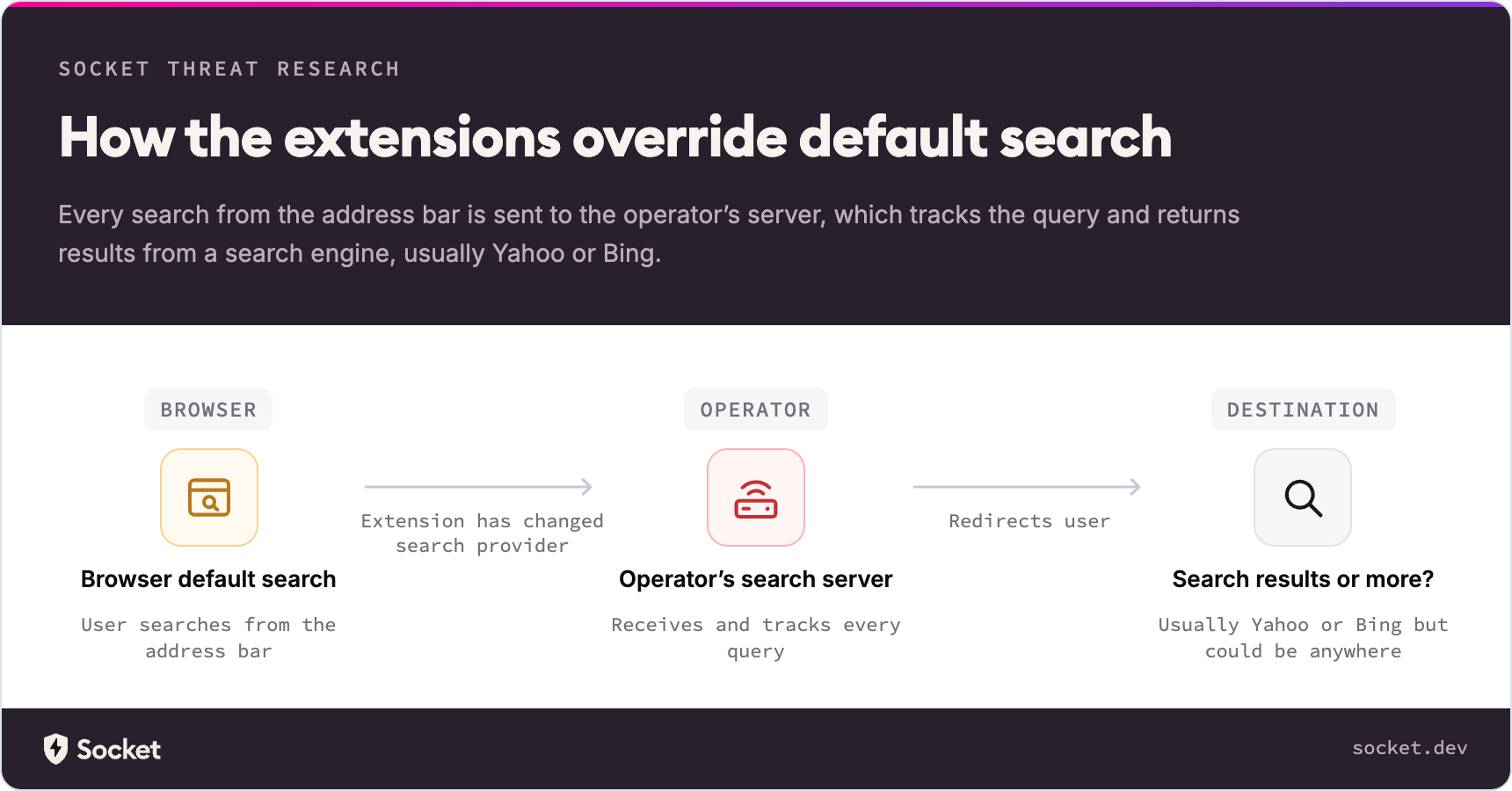
The revealing part is where the searches travel. Yahoo or Bing may still deliver the final results, while an intermediary receives the query first and earns referral revenue. Seeing a familiar search engine at the end does not tell you who saw the question on the way.
A search hijacker without a background program
Researcher John Tuckner describes one extension, Safe Game Search, whose package consists of a manifest and three icon files. It has no background worker, content scripts or useful toolbar interface. Its decisive instruction is chrome_settings_overrides: the configuration selects a new default search provider and supplies the server that receives searches.
Chrome presents a search-change prompt during installation, according to the report. But accepting a provider change does not clearly explain the intermediary route. A reviewer looking only for powerful permissions or suspicious JavaScript could miss what this small package actually changes.
The exposure is specific: searches sent through that provider reach its operator, potentially associated with a unique identifier. The report does not establish that every extension steals passwords, reads all visited pages or installs a separate Windows payload.
Six identical searches, four destinations
Socket tested the proxy used by Predator Search, an extension listed with about 50,000 users. Six identical searches produced four outcomes: Yahoo with partner tags, a separate landing page, a longer chain through two domains before Yahoo, and a Cloudflare error page. The installed extension stayed the same; the server chose the route for each request.
That is the difference between a fixed provider choice and handing somebody a routing decision. Yahoo’s hspart and hsimp parameters, or Bing’s PC and PTAG, can attribute traffic to a syndication partner. A proxy lets an operator count referrals while collecting queries and changing destinations independently of an extension update.
The observed result is search interception and variable redirection. Socket discusses phishing pages or malicious downloads as possible future destinations, not as a demonstrated outcome of every tested extension. An unfamiliar hop deserves investigation without turning that possibility into an invented infection claim.
Hidden listings, visible advertising
Many extensions in the research were unlisted in the Chrome Web Store. Their pages remained accessible through a direct link or extension ID, while store search would not reveal them. Unlisted distribution has legitimate uses; in this investigation it helped explain why advertising could produce large install counts for tools that were difficult to find independently.
The lures included manual finders, PDF utilities and supposed safe-search tools. Socket connected landing pages, privacy policies, advertiser records and shared referral accounts rather than treating every differently named listing as a separate operation. Its new work adds 264 extensions and roughly 8.7 million installs to earlier findings. Some activity dates to 2016, and those historical counts should not be read as today’s active user population.
Check the extension before changing search back
- Open
chrome://extensionsand inspect unfamiliar search, PDF or manual-finder add-ons. Record the extension ID and compare it with the inventory in Socket’s report, linked below. A familiar-looking name alone is weak identification. - Remove an unwanted extension, then open Chrome’s search-engine settings and restore your preferred provider. Retest an ordinary, non-sensitive query from the address bar.
- If the extension returns or the provider changes again, investigate the separate persistence problem. Our guide to extensions that reinstall themselves explains why sync, policy or another installed application may need attention.
On Windows, recurring redirects after removal can justify checking the device as well as the browser. A security tool may remove a visible component while a scheduled task, bundled application, browser policy or other persistence remains. A Gridinsoft Anti-Malware scan can help check those components; it cannot undo searches already disclosed to a proxy or prove that no exposure occurred.
The practical test is the route your searches take and the extension that controls it. A reputable results page at the end of that route is only part of the answer.
References
- John Tuckner. Searchjacked: Hidden Browser Extensions Hijack Searches for 13 Million Users. Socket, October 29, 2026; accessed November 1, 2026. Research report and extension inventory.