
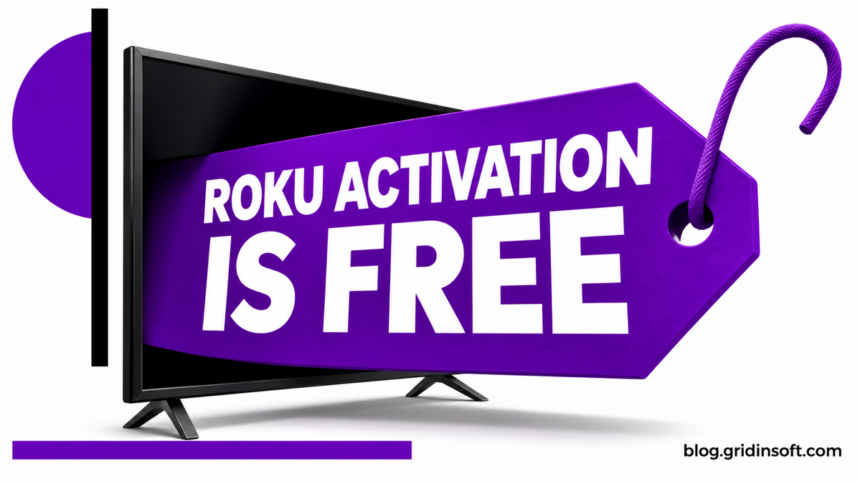
Roku activation is free. If a website or caller wants money to finish setup, release an activation code, or unlock your TV, stop there. If you already paid, call the bank or payment service you used. If the caller can still see or control your computer, disconnect that computer from the internet and use a different device to contact your bank.
A request for an activation fee and a charge on your statement are two different things to investigate. A paid channel can renew on the day you set up a TV. A stranger can also take your payment and then finish the ordinary, free setup. A working TV tells you nothing about who got the money.
Where did the fee request appear?
Start setup on the TV with your Roku remote. Enter an email address you control, or use the QR option if your TV offers it. On your phone, check the address before entering details. Roku’s account site is my.roku.com. A familiar logo, a sponsored search result or the word “Roku” somewhere in a longer address is easy to copy.
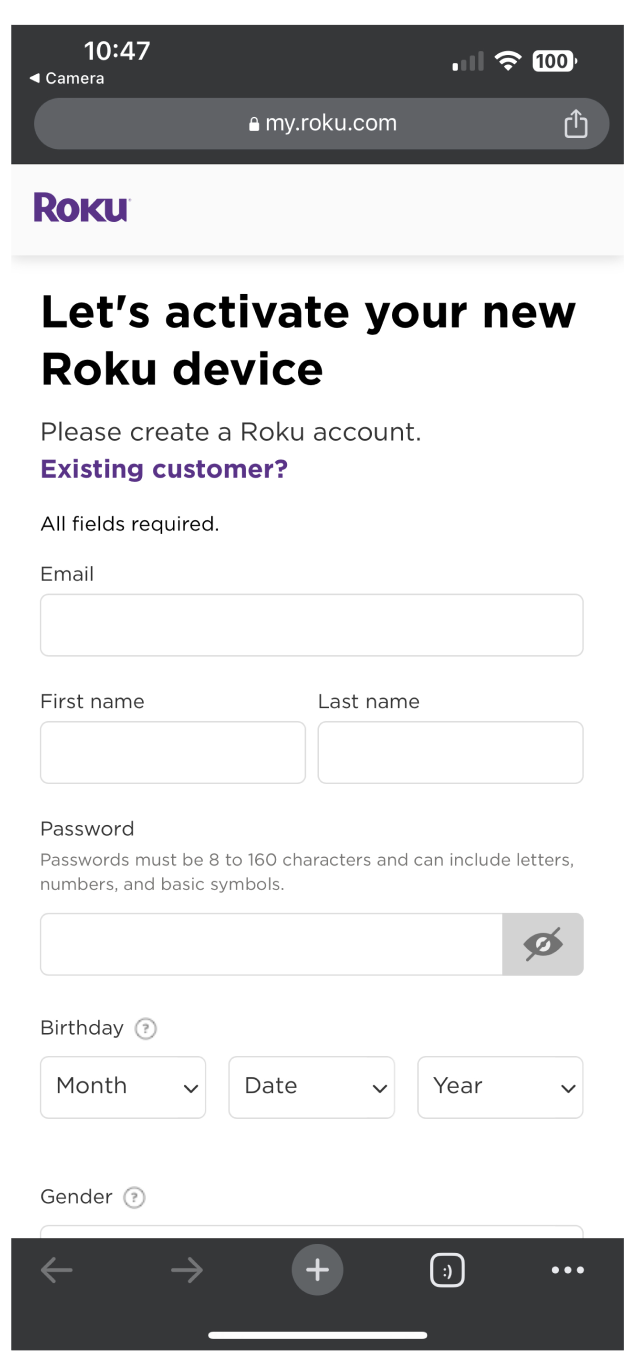
Roku may ask for a payment method during genuine setup so you can make purchases later. A demand to pay someone now to activate the device is the giveaway. If the email link expired, press the star button on the remote and request a fresh link. If the address on the TV is mistyped, correct it there. You can do both without calling a number from a search result.
What does the card charge show?
- A small pending authorization after you added a card. Roku documents a temporary $1 authorization to verify a payment method. Check the merchant and status in your banking app. An unexpected $1 transaction still deserves a call to the issuer, especially if you entered your card on a site reached through a stranger.
- A posted charge for a channel, rental or subscription. Open your Roku account independently and compare the amount, date and service with your purchase history and subscriptions. Check whether someone in your household used a different Roku account. For a subscription billed directly by a streaming service, check with that service.
- A fee demanded by “support,” or a payment you still cannot identify. Call the issuer at the number printed on the card. Describe what happened, including whether you made the payment under false pretenses or discovered a transaction you never authorized. If you gave someone your card details, tell the issuer even if no charge has appeared.
What did you give the caller?
You called or opened a page
Hang up and close the page. If the conversation ended before you paid, supplied account details or let the caller control a device, you can resume setup from the TV. Be wary of a follow-up call offering a refund. A phone conversation alone is no reason to erase your Roku.
You paid an activation or “lifetime support” fee
Contact the company that moved the money as soon as possible and ask whether it can stop or reverse the transaction. For a gift card, call the gift card issuer and keep the card and receipt. For a payment app, report the payment in the app and tell the linked card issuer or bank. Save the merchant descriptor, amount, time, messages and receipt for the claim. Gridinsoft’s guide to recovering money after an online scam covers other payment methods and what evidence to keep.
You shared a password, reset link or verification code
Use a device the caller never controlled. If the caller also learned your email password, secure that mailbox first because it receives account resets. Change the Roku password through your own account and replace any reused passwords. Check the account email, linked devices, subscriptions and purchases. If you lost access, open support.roku.com yourself to reach Roku. If the code came from your bank, contact the bank immediately and identify the message the code came from.
You allowed remote access on a computer or phone
End the session and disconnect the affected device. From another device, alert your bank if financial accounts were visible and secure any accounts you opened during the session. Write down the remote app’s name and what the caller did. On a work device, contact your IT team before removing software.
On a personal device, remove the remote-access app the caller installed and check for unattended access it may have enabled. On Windows, update your security software and run a full scan. If the caller ran other programs, Gridinsoft Anti-Malware can also check for additional software and startup entries. A scan cannot tell you what the caller saw or undo a transfer. If you cannot account for the changes, keep the device offline and have someone you trust inspect it.
Whose email is linked to the TV?
Use the remote to open Settings → System → About and read the account email. An unfamiliar address on a secondhand player may belong to its previous owner. An unfamiliar address immediately after a stranger “helped” with activation can mean that person linked the TV to their own account.
If this is your device and someone else’s account is linked, Roku recommends a factory reset followed by setup with your own email. A reset removes settings and apps from the device, so have your Wi-Fi and streaming sign-ins ready. If a lock prevents setup, use official Roku Support. Payments, exposed passwords and software on a separate computer each need their own recovery steps.
At a hotel or vacation rental? Guest Mode lets visitors sign in for a stay. Check with the host before changing a shared TV. If Guest Mode unexpectedly appears on a TV you own, ignore any demand for an unlock payment, secure the Roku account and use Roku’s own Guest Mode controls or support.
References
- Roku. How to protect yourself from activation and technical support scams. Roku Support. Accessed November 26, 2026.
- Roku. How to activate or link your Roku streaming device. Roku Support, March 3, 2026. Accessed November 26, 2026.
- Roku. If there’s a charge you don’t recognize on your Roku account. Roku Support. Accessed November 26, 2026.
- Federal Trade Commission. What to do if you were scammed. Consumer Advice, June 2026. Accessed November 26, 2026.