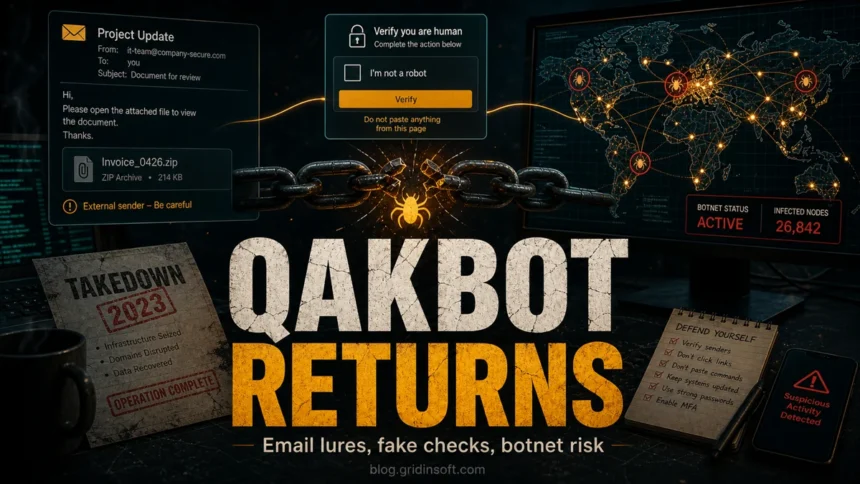
QakBot malware, also known as Qbot or QuakBot, is a Windows-focused banking trojan and loader that steals credentials, helps attackers move inside networks, and can open the door to ransomware. A 2023 law-enforcement operation disrupted QakBot infrastructure, but the family and its delivery patterns remain important because QakBot code, operators, and copycat attack chains keep appearing in phishing and fake-verification campaigns. If you see a QakBot detection, a suspicious OneNote or ZIP attachment, or a fake “verify you are human” page that asks you to run a command, treat it as a credential-theft incident, not as a harmless file.
The safest response is simple: disconnect the affected device from the network, do not paste commands from a web page into Windows Run or PowerShell, scan the system, and change important passwords from a clean device after the scan. QakBot is rarely a one-file problem; it is usually part of an access chain that can include stolen browser passwords, email account abuse, lateral movement, and ransomware deployment.
QakBot After the 2023 Takedown
The August 2023 operation severed many victim machines from QakBot command-and-control servers, but it did not erase the malware family, the stolen know-how, or the attack patterns built around it. That is why a QakBot alert still deserves attention in 2026. Some alerts point to older samples or archived attachments; others point to fresh campaigns, reused code, or closely related loaders that copy QakBot’s phishing and access-broker playbook.
For more background, read Gridinsoft’s coverage of the 2023 QakBot botnet takedown, the later QakBot email spam return, and DarkGate and PikaBot campaigns that copied QakBot-style tradecraft.
What QakBot Does
QakBot started as a banking trojan, but modern QakBot activity is better understood as an access platform. Once it runs, it can steal browser and email credentials, collect system and network information, inject into legitimate Windows processes, communicate with command-and-control infrastructure, and help attackers deliver additional tools. CISA and the FBI described QakBot infrastructure as part of a botnet that supported credential theft and ransomware access before the August 2023 disruption.[1]
| What you notice | Why it matters |
|---|---|
| A QakBot, Qbot, or QuakBot alert from a security tool | Assume the device may have run a credential-stealing loader. Scan before logging back into important accounts. |
| A ZIP, OneNote, WSF, JSE, HTA, or fake invoice attachment | These formats have been used to hide script stages that download the QakBot DLL. |
| A page tells you to press Win+R and paste a command | This is a common ClickFix-style lure. The command may launch PowerShell, mshta, rundll32, curl, or another Windows tool to fetch malware.[4] |
| Unusual sign-ins, password resets, or email sent from your account | QakBot-style infections can expose browser passwords, cookies, mailboxes, and remote-access credentials. |
How QakBot Spreads
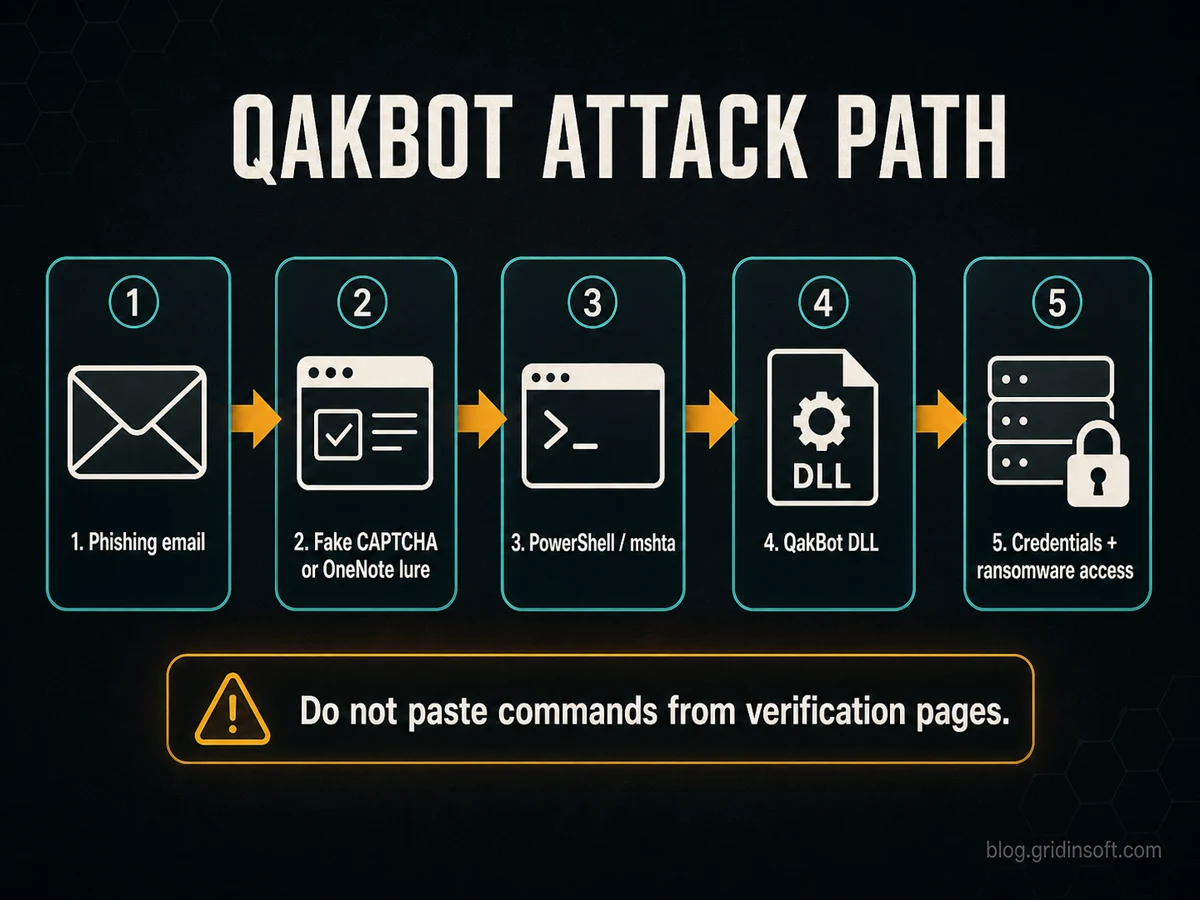
QakBot campaigns change their first-stage lure, but the logic is consistent: make the user open something trusted-looking, use a script or living-off-the-land Windows utility, then load a DLL or another payload in the background.
Phishing Emails and Reply-Chain Lures
The most common starting point is still email. Attackers use invoice, document review, delivery, HR, or project-update themes because they fit normal business behavior. Some campaigns use reply-chain hijacking, where a malicious message appears inside a real conversation thread. That makes the lure harder to spot than a generic spam email.
OneNote, ZIP, WSF, JSE, and HTA Files
QakBot moved away from classic Office macro abuse after Microsoft changed Office behavior to block many macros from files downloaded from the internet by default.[3] That pushed attackers toward attachments that could hide a script stage: OneNote files with fake buttons, ZIP archives with Windows Script Files, JScript files, HTML Applications, or batch files that eventually start PowerShell, mshta.exe, or rundll32.exe.
Fake Verification and ClickFix Pages
A newer and very dangerous pattern is the fake verification page. The page says the visitor must prove they are human, fix a browser problem, or complete a security check. Instead of solving a real CAPTCHA, the user is told to open Windows Run and paste a command. Microsoft describes this as the ClickFix social-engineering technique: it abuses the user’s problem-solving instinct to make them launch the attack chain manually.[4]
Malvertising and Fake Software Downloads
Search ads and cloned download pages can also lead to QakBot-style loaders. A victim searches for a legitimate utility, clicks an ad or a lookalike site, and downloads an installer that is much larger or stranger than expected. The final payload may be QakBot itself or another loader that gives attackers the same kind of foothold.
Network Spread After One Machine Is Infected
On a home PC, QakBot is already serious because it can steal passwords and session data. In a business network, it is more dangerous because one infected workstation can expose email accounts, file shares, VPN credentials, admin tools, and other systems. That is why a single detection should trigger password rotation and account review, not only local file removal.
How to Remove QakBot Safely
- Disconnect the device from the network. Turn off Wi-Fi or unplug Ethernet. This limits command-and-control traffic and reduces the chance of lateral movement.
- Do not run cleanup commands from random websites. If a page tells you to paste a command into Windows Run, PowerShell, Command Prompt, Terminal, or a browser console, close the page.
- Run a full malware scan. Use your installed security software first. If QakBot is suspected, scan again with a second-opinion tool such as Gridinsoft Anti-Malware because loaders often arrive with additional payloads.
- Check startup points and scheduled tasks. Look for unfamiliar tasks, services, startup entries, DLL launch commands, and scripts under temporary or ProgramData folders. Do not delete files blindly if you need incident evidence.
- Change passwords from a clean device. Start with email, banking, password manager, cloud storage, VPN, and administrator accounts. If the infected PC had browser password sync enabled, treat saved credentials as exposed.
- Revoke sessions and enable MFA. Sign out other sessions in important accounts, review recovery email and phone settings, and enable multifactor authentication where possible.
- Review email and payment activity. Look for mailbox rules, forwarding settings, sent phishing messages, unknown purchases, password reset emails, and new connected apps.
- Restore only from trusted backups. If ransomware or system tampering occurred, restore from a backup created before the suspicious activity, then patch the system before reconnecting it.
After uninstalling the suspicious app or deleting the visible threat, use Gridinsoft Anti-Malware to check hidden files, startup entries, scheduled tasks, bundled apps, browser changes, and other persistence points that can restore malware.
Download Anti-MalwareWhen You Should Reinstall Windows
A scan-and-clean approach can work for a simple home infection that was blocked early. A reinstall is safer when QakBot ran successfully, administrator credentials were exposed, multiple payloads appeared, security tools were disabled, or you cannot tell how long the system was compromised. For a business device, preserve logs and involve the security team before wiping the machine.
How to Prevent QakBot-Style Attacks
- Block script-heavy attachments. Treat WSF, JSE, HTA, ISO, LNK, BAT, CMD, and suspicious ZIP attachments as high risk.
- Teach the ClickFix rule. A real verification page never needs you to paste a command into Windows Run or PowerShell.
- Keep Office macro protection enabled. Do not bypass the warning for documents received by email or downloaded from the web.
- Patch browsers, Office, Windows, and PDF tools. QakBot-style campaigns often combine social engineering with outdated software and weak endpoint controls.
- Use separate admin accounts. Daily work should not happen from an account that can administer the whole device or network.
- Monitor email rules and sign-in logs. Stolen mailbox access is often reused for reply-chain phishing.
- Back up important data offline. QakBot is often linked to ransomware access, so backups should not be writable from the same infected machine.
FAQ
Is QakBot still active after the 2023 takedown?
The 2023 operation disrupted QakBot infrastructure, but it did not make every QakBot-related risk disappear. DOJ later indicted an alleged QakBot leader in 2025, and defenders continue to track campaigns that reuse QakBot code, operators, or QakBot-style delivery methods.[2]
Is QakBot ransomware?
QakBot itself is usually described as a banking trojan, loader, and botnet malware. The bigger danger is that it can provide access to ransomware operators, so a QakBot infection should be handled with the same seriousness as a ransomware precursor.
What if I opened the email but did not run the attachment?
If you only read the email and did not open the attachment, click the link, enable content, or paste a command, the risk is much lower. Delete the message, report it if you are at work, and avoid interacting with the sender. If you opened a file or page, run a scan.
Should I paste a command from a fake CAPTCHA or verification page?
No. A legitimate human-verification page does not ask you to open Windows Run, PowerShell, Terminal, or Command Prompt. Close the page and scan the device if you already copied or ran the command.
References
- CISA and FBI. “Identification and Disruption of QakBot Infrastructure.” Cybersecurity Advisory AA23-242A, August 30, 2023, accessed June 11, 2026. https://www.cisa.gov/news-events/cybersecurity-advisories/aa23-242a
- U.S. Department of Justice. “Leader of Qakbot Malware Conspiracy Indicted for Involvement in Global Ransomware Scheme.” Office of Public Affairs, May 22, 2025, accessed June 11, 2026. https://www.justice.gov/opa/pr/leader-qakbot-malware-conspiracy-indicted-involvement-global-ransomware-scheme
- Microsoft. “Macros from the internet are blocked by default in Office.” Microsoft Learn, updated May 30, 2025, accessed June 11, 2026. https://learn.microsoft.com/en-us/deployoffice/security/internet-macros-blocked
- Microsoft Threat Intelligence. “Think before you Click(Fix): Analyzing the ClickFix social engineering technique.” Microsoft Security Blog, August 21, 2025, accessed June 11, 2026. https://www.microsoft.com/en-us/security/blog/2025/08/21/think-before-you-clickfix-analyzing-the-clickfix-social-engineering-technique/