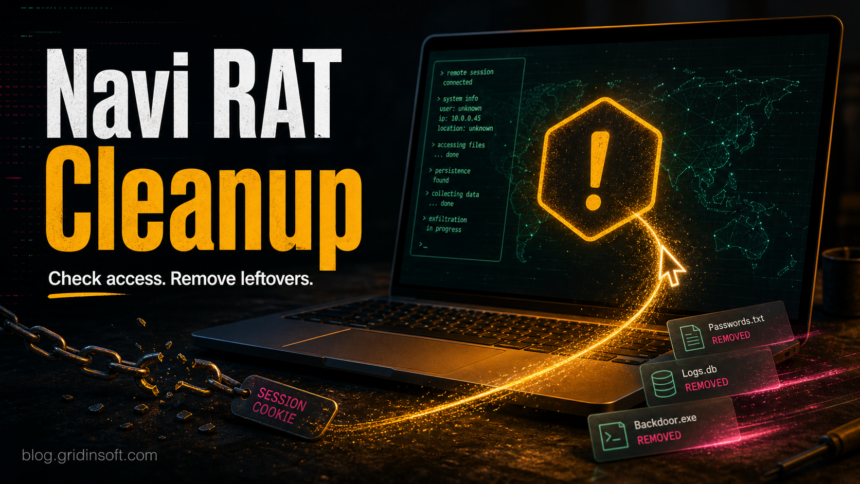
Navi RAT is a remote access trojan that should be treated as a live compromise, not just a suspicious file name. If a security tool detected Navi RAT, or if you ran a file later identified as this malware, disconnect the computer from the network, preserve the detected path, remove the source file, and secure accounts from a clean device before trusting the PC again.
The practical risk is broader than remote control. Recent public writeups describe Navi RAT as a Go-compiled RAT with infostealer behavior, including theft of files, cryptocurrency wallet material, and Roblox session cookies. Because those details can vary by sample, use this guide as a response checklist: remove the payload, look for persistence, and assume passwords or active sessions may be exposed if the file ran.
What is Navi RAT?
Navi RAT is malware from the remote access trojan category. A RAT gives an operator a way to interact with an infected system remotely, run commands, browse files, and stage additional activity while the victim sees little or nothing on screen. That is why a clean-looking desktop does not prove the device is safe.
The current Navi reports also describe data theft behavior. The main user-facing concern is account exposure: browser sessions, game accounts, saved passwords, wallet files, documents, and other local data can become reachable to the attacker once the malware is running.
What to do first
- Disconnect the PC from Wi-Fi or Ethernet. Do this before opening more files, logging in, or trying random cleanup tools.
- Write down the detection name and path. Keep the alert screen, file path, archive name, download folder, or email attachment name. It helps identify how the malware arrived.
- Do not sign in to important accounts on the infected PC. Use a clean phone or another trusted computer for password resets.
- Keep the detected file quarantined. Do not restore it to “test” whether it was a false positive unless you have submitted the file for vendor review and understand the risk.
- Back up only personal documents you recognize. Avoid copying executables, scripts, cracked installers, browser extensions, and compressed archives from the same time period.
How to remove Navi RAT leftovers
Start with the security-tool quarantine result, then check for the common ways a trojan survives reboot or relaunches after the first file is removed. Focus on the source folder and the time window around the suspicious download or attachment.
- Open Windows Security or your current antivirus history and confirm whether the detected item was blocked, quarantined, or allowed.
- Delete the original archive, installer, script, shortcut, or email attachment that produced the detection. Check
%USERPROFILE%\Downloads, Desktop, Temp folders, browser download history, and recent ZIP/RAR files. - Review installed apps for unknown tools, game cheats, “launcher” utilities, browser helpers, or cracked software installed on the same day.
- Check startup locations and scheduled tasks for unfamiliar entries that point to user-profile folders, Temp, AppData, PowerShell, script hosts, or random file names.
- Run a full malware scan, remove detections, reboot, and run a second scan if alerts return.
If the file ran before it was quarantined, the visible detection may be only one part of the intrusion. A loader, scheduled task, browser change, copied executable, or stolen-session artifact can remain after the first alert is removed. Gridinsoft Anti-Malware can help check for hidden files, startup entries, scheduled tasks, bundled modules, and persistence that a quick quarantine view may not show.
If a token stealer ran here, logging back in can hand the attacker your new Discord session, email cookie, Steam token, or wallet access. Scan this Windows PC first, then reset passwords from a clean device.
Scan for Navi RAT leftoversAccount and wallet recovery checklist
Handle account recovery from a clean device. If Navi RAT ran, password changes made from the same infected Windows profile can be captured again.
- Email: change the mailbox password first, enable two-factor authentication, remove unknown forwarding rules, and review recent sign-ins.
- Roblox: sign out other sessions where available, change the password, check linked email and payment settings, and review trades or purchases.
- Cryptocurrency: move funds to a new wallet from a clean device if private keys, seed phrases, or wallet files were stored on the infected PC.
- Browsers: revoke saved sessions for Google, Microsoft, Discord, Steam, Telegram, and other accounts that were logged in on the machine.
- Financial accounts: watch recent transactions and contact the provider if saved payment information or identity documents were stored locally.
Could Navi RAT be a false positive?
A single generic detection can be wrong, especially when the alert is only for a packed file that never ran. Navi RAT is different from a vague “unsafe file” warning because the name points to remote access and possible data theft. Treat it as real until you can prove otherwise.
A cautious false-positive check is reasonable only when the file came from a known vendor, has a clean download source, was not launched, and multiple reputable scanners or the vendor’s own submission process clear it. Do not restore a file that came from a crack, mod, cheat, fake installer, Discord link, or unknown archive just because one forum reply says it is safe.
How infections like Navi RAT usually arrive
Public Navi RAT reporting has not tied every case to one confirmed distribution campaign. The safer assumption is the usual RAT delivery path: malicious attachments, fake downloads, software cracks, game cheats, fake updates, social-engineering links, and advertisements or redirects that lead to a downloaded executable or archive.
If the infected user plays Roblox or downloads game tools, pay special attention to recent “executor,” “mod menu,” “FPS booster,” “asset unlocker,” or account-helper downloads. If the file arrived by email, treat the mailbox as exposed and search for the original message before deleting it.
How to reduce the chance of reinfection
- Keep Windows, browsers, and security tools updated.
- Avoid cracks, keygens, cheat loaders, and “free Robux” utilities.
- Open unexpected archives in a disposable environment only when you have a business reason and know the sender.
- Use a password manager and unique passwords so one stolen browser profile does not unlock every account.
- Enable two-factor authentication on email, Microsoft, Roblox, Steam, Discord, and cryptocurrency services.
FAQ
Is Navi RAT only a Roblox stealer?
No. Roblox session theft is one reported risk, but a remote access trojan can also expose files, passwords, wallet data, and other accounts on the same Windows profile.
Should I reinstall Windows after a Navi RAT detection?
Reinstallation is the safest route when the malware ran with administrator rights, alerts return after cleanup, unknown remote-access tools appear, or high-value accounts and wallets were used on the PC. If the file was blocked before execution, a careful quarantine, full scan, startup review, and account reset may be enough.
Can Gridinsoft recover stolen passwords or crypto?
No security scanner can recover stolen passwords, reverse cryptocurrency transfers, or prove that no data left the device. The scanner helps remove malware and persistence; account recovery still requires password resets, session revocation, two-factor authentication, and provider support where needed.
What if the alert says Wacatac instead of Navi RAT?
Some reports map Navi samples to generic or machine-learning detections such as Wacatac. The response should still follow the same practical logic: preserve the detected path, remove the source file, scan for leftovers, and secure accounts if the file ran.
References
- Fortinet. “What Is a Remote Access Trojan (RAT)?” Fortinet Cyber Glossary, accessed June 23, 2026. https://www.fortinet.com/resources/cyberglossary/remote-access-trojan
- Norton. “What is a remote access Trojan (RAT)?” Norton Cyber Safety, updated June 17, 2026, accessed June 23, 2026. https://us.norton.com/blog/malware/remote-access-trojan
- Microsoft Support. “How to recover a hacked or compromised Microsoft account.” Microsoft, accessed June 23, 2026. https://support.microsoft.com/en-US/accounts-billing/manage/how-to-recover-a-hacked-or-compromised-microsoft-account