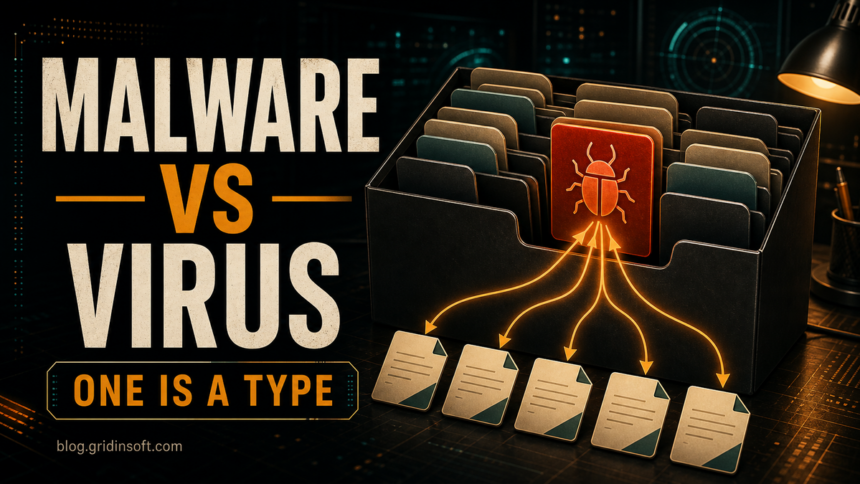
People often say “virus” when they mean any malicious program, but the two words are not the same. Malware is the broad category. A virus is one type of malware that spreads by inserting or copying itself into other files, documents, boot areas, or programs.
Malware vs Virus: The Main Difference
The simplest way to separate the terms is by scope. Malware means malicious software. It describes intent: the program is built to damage, spy, steal, extort, hijack, or abuse a system. A computer virus describes behavior: the malicious code can replicate by attaching itself to files, documents, boot areas, or other executable content.
That is why a Trojan, ransomware sample, browser hijacker, or password stealer can be dangerous even when it is not technically a virus. The label changes the cleanup priority: a virus raises spread-and-infected-file concerns, while a stealer raises account-security concerns, and ransomware raises backup and isolation concerns.
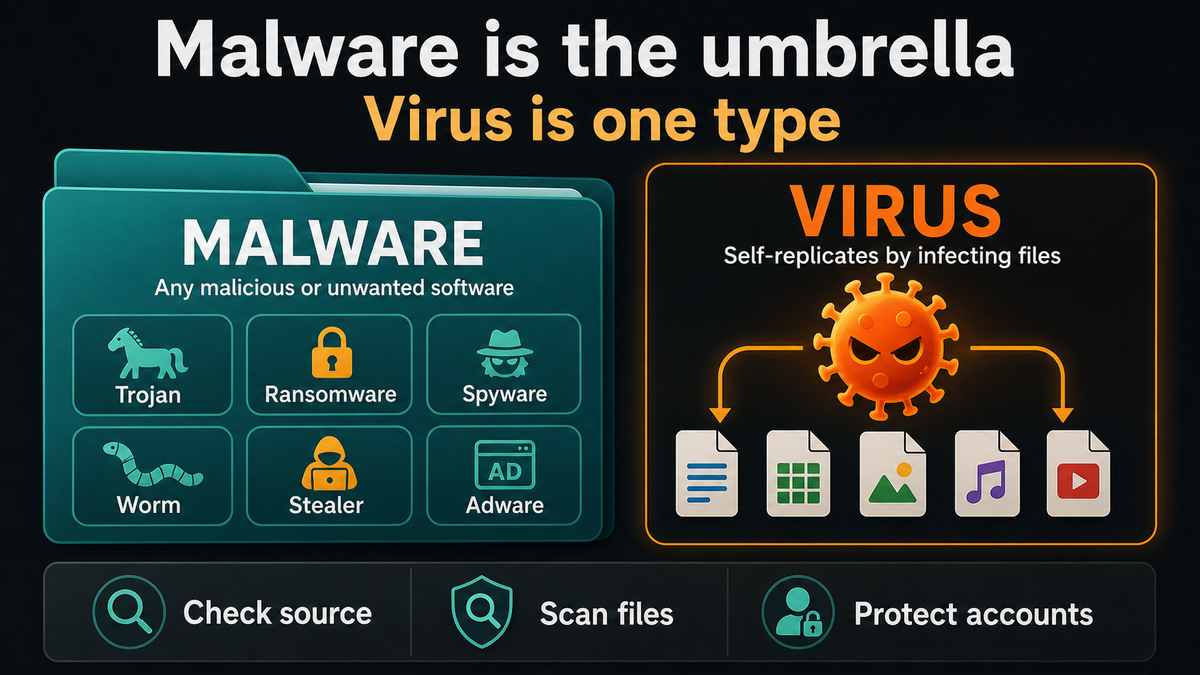
- What is malware? Malware is the umbrella term for malicious or unwanted software: Trojans, ransomware, spyware, adware, rootkits, stealers, loaders, worms, and viruses.
- What is a virus? A virus is a specific type of malware that replicates by infecting other files, documents, boot areas, or executable code.
- Main difference: Malware describes harmful intent or unwanted behavior. Virus describes one spread method: self-replication through a host file or code area.
- Does all malware self-replicate? No. Trojans, stealers, adware, and many ransomware attacks usually rely on downloads, phishing, exploits, or bundled installers.
- Best first reaction: Read the detection name, keep the item quarantined, run a full scan, check persistence, and protect accounts if credential theft is possible.
- Virus-specific risk: One infected file can mean related files, documents, boot areas, or removable drives also need checking before you reconnect or restore them.
Why People Still Call Everything a Virus
The word virus became popular early because classic computer infections spread from file to file and from disk to disk. For many users, “virus” became a shortcut for anything dangerous on a computer. Modern threats are different. A password stealer may not replicate at all. Ransomware may arrive through a phishing attachment and encrypt files. Adware may change browser behavior without trying to spread to another computer.
That distinction matters because the right fix depends on the threat. A virus cleanup focuses on infected files and removable media. A stealer cleanup also requires password changes. A ransomware incident requires backups, isolation, and a recovery plan. Calling all of them “a virus” hides the real risk.
Common Types of Malware
Malware is a family name, so it covers many behaviors. These are the types users most often meet in real incidents:
- Trojan: malware disguised as a useful file, installer, crack, update, or document.
- Ransomware: malware that locks or encrypts files and demands payment.
- Spyware: software that monitors activity, browsing, messages, or credentials.
- Infostealer: malware focused on stealing passwords, cookies, crypto wallets, browser data, and session tokens.
- Adware and PUPs: unwanted programs that inject ads, change search settings, or push redirects.
- Rootkit: malware that hides files, processes, drivers, or network activity.
- Worm: malware that spreads across networks without needing a normal host file.
- Virus: malware that replicates by infecting files, documents, or boot areas.
For a fuller map, see our guide to common types of malware.
What Is a Computer Virus?
A computer virus is malicious code that needs a host. The host may be an executable file, a macro-enabled document, a script, or a boot area. When the infected host runs, the virus can copy itself into other files or locations. That replication is what makes a virus different from a normal Trojan or stealer.
Viruses can be destructive, but damage is not the only thing that defines them. Some overwrite files, some corrupt documents, some open backdoors, and some only spread until another payload is delivered. The important part is this: if a security tool reports a virus, you should assume more than one file may be affected.
Do not treat a virus warning as a single-file problem until a full scan proves it. Check the original download, recently opened documents, startup locations, and removable drives that were connected while the infected file could run.
Malware and Virus Examples
Examples make the difference easier to see:
| Example | What it means |
| File infector | A virus that can modify executable files and spread when infected programs run. |
| Macro virus | A virus that spreads through infected documents and can run when macros or active content are allowed. |
| Worm | Malware that spreads through networks or services without needing to attach to a normal host file. |
| Ransomware | Malware that encrypts files or locks access, then demands payment. |
| Password stealer | Malware that steals browser passwords, cookies, tokens, wallets, and account data. |
| Adware | Potentially unwanted or malicious software that injects ads, redirects searches, changes browser settings, or tracks activity. |
| Trojan downloader | Malware that looks like a normal installer or crack, then downloads another payload after it runs. |
How to Tell What You Are Dealing With
Do not rely only on the word “virus” in a pop-up or search result. Look at the detection name, source file, and behavior.
- If the detection name includes Trojan, check where the file came from and whether it created startup entries.
- If it includes Ransom or files are encrypted, disconnect the machine from the network and preserve evidence before cleaning.
- If browser searches redirect or pop-ups appear, inspect extensions, notification permissions, and recently installed programs.
- If passwords or sessions may be stolen, change passwords from a clean device and revoke active sessions.
- If a file infector is reported, run a full scan and check removable drives before reconnecting them.
What to Do If You See a Malware or Virus Warning
If your antivirus, browser, or Windows Security reports malware or a virus, respond to the behavior behind the label instead of arguing with the wording. Use this order:
- Keep the item quarantined. Do not restore a crack, installer, document, or archive just because you expected the download.
- Note the exact detection name and path. Names such as Trojan, Ransom, HackTool, PUA, Worm, or Virus point to different cleanup priorities.
- Disconnect if files are encrypting or the system is spreading activity. Ransomware and worm-like behavior need isolation before cleanup.
- Run a full system scan, not only a quick scan. A single detected file may be a dropper, downloaded payload, or one infected host among several.
- Check persistence points. Review Startup apps, Task Scheduler, browser extensions, notification permissions, recently installed programs, and unknown services.
- Change passwords from a clean device if credential theft is possible. This matters most for stealers, fake installers, browser hijackers, and cracked software infections.
Antivirus vs Anti-Malware: Do You Need Both?
The names are confusing because many modern antivirus products detect far more than classic viruses. A good security tool should detect Trojans, ransomware, spyware, worms, unwanted software, malicious scripts, and file-infecting viruses. The practical question is not the label on the product; it is whether the tool detects current threats, checks persistence points, blocks malicious sites, and receives frequent updates.
Running two real-time antivirus engines at the same time can cause conflicts or slowdowns. A safer approach is to keep one trusted real-time protection layer enabled and use a reputable second-opinion scanner when you suspect something slipped through.
How to Protect Against Malware and Viruses
Protection should cover both classic viruses and modern malware families. The practical baseline is simple:
- Keep Windows, browsers, drivers, and common apps updated.
- Use unique passwords and multi-factor authentication for important accounts.
- Download software from official sources, not cracks, repacks, or “free license” sites.
- Keep backups that are not constantly writable from the main PC.
- Scan suspicious files before opening them, especially archives, scripts, macro documents, and installers from unknown sources.
- Review browser extensions and notification permissions after pop-ups or redirects.
If you suspect an active infection, run a full Microsoft Defender scan first. For a second opinion, you can scan the system with Gridinsoft Anti-Malware, then remove leftover startup items, scheduled tasks, browser hijackers, and unwanted programs. You can also check a suspicious file with the Gridinsoft Online Virus Scanner before opening it.
FAQ
Is malware the same as a virus?
No. Malware is the broad category of malicious software. A virus is one type of malware that replicates by infecting other files or code.
Can malware spread without being a virus?
Yes. Worms can spread through networks, Trojans can be installed by users, and stealers can be delivered through fake downloads or phishing attachments without behaving like classic viruses.
Is ransomware a virus or malware?
Ransomware is malware. Some ransomware may use worm-like spreading techniques, but the defining behavior is file encryption or lockout for extortion, not classic file infection.
Do I need antivirus or anti-malware?
Usually no. Modern security products normally cover both classic viruses and other malware families. Keep one trusted real-time protection tool enabled, then use a second-opinion scanner when a file, browser change, or startup entry still looks suspicious.
What should I do first if my PC has malware?
Keep the detected item quarantined, write down the exact detection name and file path, run a full scan, remove suspicious startup items and browser extensions, then change important passwords from a clean device if credential theft is possible.
Can a Trojan be a virus?
A Trojan and a virus describe different ideas. A Trojan is malware disguised as something useful or legitimate; a virus is malware that replicates by infecting other files. One attack chain can involve both, but the terms are not interchangeable.
References
- National Institute of Standards and Technology. “Malware.” Computer Security Resource Center Glossary, accessed June 1, 2026. https://csrc.nist.gov/glossary/term/malware
- Cybersecurity and Infrastructure Security Agency. “Malware, Phishing, and Ransomware.” CISA, accessed June 1, 2026. https://www.cisa.gov/topics/cyber-threats-and-advisories/malware-phishing-and-ransomware
- Microsoft. “How Microsoft identifies malware and potentially unwanted applications.” Microsoft Learn, updated 2026, accessed June 1, 2026. https://learn.microsoft.com/en-us/unified-secops/criteria