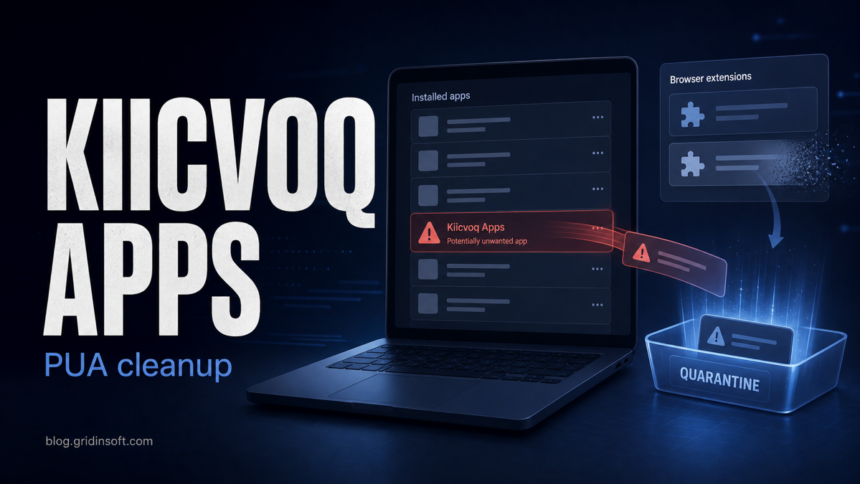
Kiicvoq Apps is a potentially unwanted application name reported in recent Windows cleanup cases. Treat it as suspicious if it appeared without a clear installation choice, came with redirects or ads, or added a browser extension you did not approve. Remove the app first, then check browsers, startup entries, scheduled tasks, and run a full malware scan because this family has been associated with dropper-style behavior and bundled browser abuse.
What is Kiicvoq Apps?
Kiicvoq Apps is not a normal Windows component. Public malware-removal research describes it as a PUA that may arrive through a rogue installer and may install a fake extension named like Save to Google Drive. That matters because the legitimate Google extension exists in the Chrome Web Store, but a lookalike installed by an unknown setup should not be trusted.
Call it a potentially unwanted application rather than assuming every copy has the same payload. PUAs sit in the gray zone between clean software and clear malware: they can show ads, bundle extra apps, change browser settings, or install other components the user did not knowingly choose. Microsoft documents this category separately from classic malware and recommends keeping PUA protection enabled.
| Check | Why it matters |
|---|---|
| Unknown program named Kiicvoq Apps | The user usually does not remember installing it. |
| Fake or unexpected browser extension | Lookalike extensions can read pages, change browser behavior, or return through sync. |
| Ads, redirects, new tabs, slow browser | These are common PUA/adware symptoms. |
| Startup or scheduled-task leftovers | PUA components can relaunch after a simple uninstall. |
| Antivirus or security-tool alert | Scan results can reveal bundled droppers or secondary payloads. |
Is Kiicvoq Apps dangerous?
It is risky enough to remove. The main concern is not only the visible app entry, but what came with it: browser extensions, startup items, background scripts, or secondary malware. If Kiicvoq Apps arrived from a pop-up, fake download page, cracked installer, or “recommended” bundle, assume the installer may have dropped more than one component.
Be careful with the Save to Google Drive wording. Google publishes a legitimate Chrome extension with that name, but a fake extension can reuse familiar wording to look harmless. If the extension appeared at the same time as Kiicvoq Apps, has a different ID than the official listing, asks for broad site access without a reason, or returns after removal, treat it as part of the cleanup.
How to remove Kiicvoq Apps from Windows
- Disconnect from risky activity first. Stop downloads, close suspicious browser tabs, and do not sign in to banking, email, crypto, or work accounts until the system is clean.
- Uninstall Kiicvoq Apps. Open Settings > Apps > Installed apps, sort by install date, and remove Kiicvoq Apps plus any other unknown app installed at the same time.
- Check Chrome, Edge, and Firefox extensions. Remove unknown extensions, especially anything that appeared as Save to Google Drive but was not installed from the official Chrome Web Store listing. In Chrome, open
chrome://extensions, enable Developer mode, and compare suspicious extension IDs before deciding what to keep. - Pause browser sync before cleaning repeat offenders. If a bad extension comes back, turn off extension sync temporarily, remove the extension on every signed-in browser profile, then re-enable sync after the cleanup.
- Inspect startup entries and scheduled tasks. Use Task Manager Startup apps for a quick pass. For a deeper check, Microsoft Sysinternals Autoruns can show Run keys, services, browser helper objects, scheduled tasks, and other autostart locations.
- Remove suspicious leftovers. Look in
%AppData%,%LocalAppData%, Downloads, and Temp for folders created at the same time as the unwanted app. Do not delete random Windows folders; focus on names matching the installer, Kiicvoq, unknown publishers, or the same install timestamp. - Run a full malware scan. Use Gridinsoft Anti-Malware to scan running processes, startup entries, browser extensions, and user-profile folders. Quarantine detections, reboot, and run a follow-up scan if the symptoms return.
- Change passwords if browser data may have been exposed. Start with email, password manager, banking, crypto, and work accounts. Change passwords from a clean device if you saw suspicious extensions with broad browser access.
After uninstalling the suspicious app or deleting the visible threat, use Gridinsoft Anti-Malware to check hidden files, startup entries, scheduled tasks, bundled apps, browser changes, and other persistence points that can restore malware.
Download Anti-MalwareWhen a simple uninstall is not enough
A normal uninstall can remove the visible app but leave the reason it arrived in place. Do a deeper cleanup if any of these happen after removal:
- Kiicvoq Apps or another random-name app returns after reboot.
- The browser opens ads, redirects, or new tabs by itself.
- An extension returns after you remove it.
- Task Manager shows an unknown process from AppData or Temp.
- Windows Security or another security tool keeps warning about a PUA, dropper, or suspicious script.
In those cases, prioritize startup and browser cleanup over repeated uninstall attempts. A recurring browser extension usually means a local app, policy, scheduled task, or synced browser profile is putting it back.
How to avoid this PUA again
- Download software from the vendor site or Microsoft Store when possible.
- Avoid cracked installers, repacked utilities, fake update prompts, and “download manager” wrappers.
- Use custom installation options and decline optional apps or browser extensions.
- Keep Microsoft reputation-based PUA protection enabled.
- Check unknown domains and downloaded files before running them.
For more browser-specific cleanup, see our PUA and browser hijacker removal guide. If you are not sure whether an extension should be trusted, our guide to browser extension safety explains the permission checks that matter.
FAQ
Is Kiicvoq Apps a virus?
It is best described as a PUA or unwanted app. That does not make it harmless. PUAs can install other software, change browsers, show ads, or act as part of a broader infection chain.
Should I remove the real Save to Google Drive extension?
No, not automatically. Google has an official extension with that name. Remove it only if you did not install it, it came from a suspicious installer, the extension ID does not match the official listing, or it behaves unexpectedly.
Why does Kiicvoq Apps come back after uninstalling?
A leftover startup entry, scheduled task, local helper app, browser policy, or synced extension can restore the unwanted component. Check startup locations and browser sync instead of repeating only the basic uninstall step.
Do I need to change passwords?
Change important passwords if an unknown extension had broad browser access, if you saw redirects on login pages, or if a malware scan finds a stealer or dropper. Use a clean device for password changes when possible.
References
- Microsoft Support. “Protect your PC from potentially unwanted applications.” Microsoft, accessed May 28, 2026. https://support.microsoft.com/en-US/security/protect-your-pc-from-potentially-unwanted-applications
- Google Chrome Help. “Install and manage extensions.” Google, accessed May 28, 2026. https://support.google.com/chrome/answer/2664769?hl=en
- Google. “Save to Google Drive.” Chrome Web Store, accessed May 28, 2026. https://chromewebstore.google.com/detail/save-to-google-drive/gmbmikajjgmnabiglmofipeabaddhgne
- Mark Russinovich. “Autoruns v14.11.” Microsoft Learn Sysinternals, February 6, 2024, accessed May 28, 2026. https://learn.microsoft.com/en-us/sysinternals/downloads/autoruns