
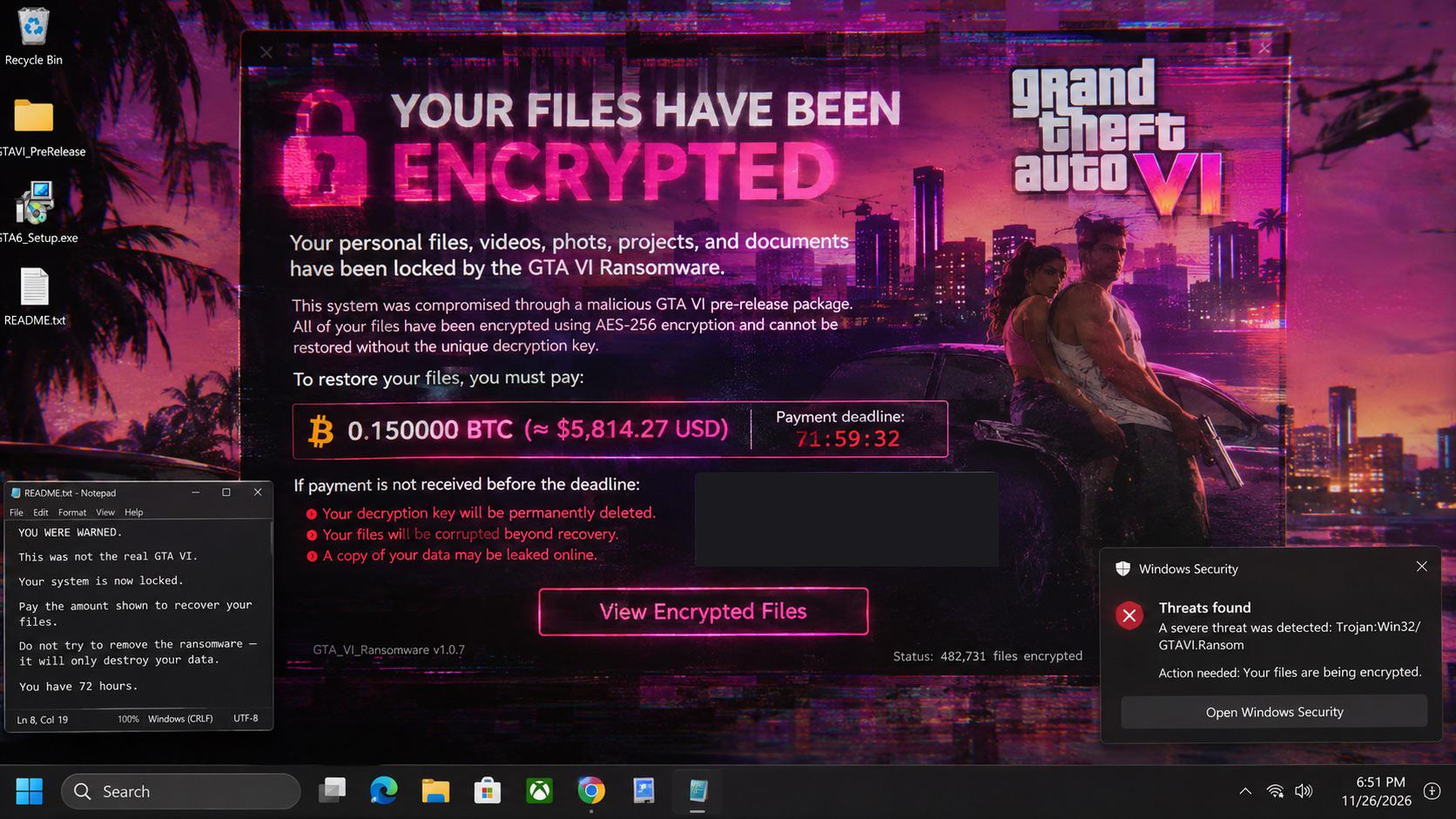
A GTA 6 screenshot on Reddit shows a demand for 0.15 bitcoin. In the lower-right corner, a second box labeled “Windows Security” names Trojan:Win32/GTAVI.Ransom. Did Microsoft Defender actually display it? The image alone cannot tell us. Microsoft’s public threat encyclopedia returned no entry for that exact name when we checked on November 26, 2026. The spelling offers a clue. Your PC’s own detection history offers a much better test.
If this is happening on your PC and familiar files are changing names or failing to open, disconnect Ethernet and Wi-Fi now. Disconnect backup drives and keep offline copies unplugged. On a work or school computer, contact IT from another device. You can investigate the wording after you have isolated the machine.

Two windows make one claim look independently confirmed
The main window pairs GTA VI artwork with a countdown and a “View Encrypted Files” button. A desktop icon reads GTA6_Setup.exe, and an open README.txt repeats the demand. The smaller box says that files are being encrypted and offers an “Open Windows Security” button. The placement is persuasive: the ransom note makes a claim, then something that looks like Windows appears to confirm it.
What the GTA 6 ransom note actually says
In the lower-left corner, a Notepad window labeled README.txt opens with “YOU WERE WARNED.” The next three lines read:
This was not the real GTA VI.
Your system is now locked.
Pay the amount shown to recover your files.
The final line gives a deadline: “You have 72 hours.” The larger game-themed window supplies the price, 0.150000 BTC, and shows 71:59:32 on its countdown. The words “Your files are being encrypted” appear in a separate box at the lower right. That box is where the pictured name Trojan:Win32/GTAVI.Ransom comes from.
All of those details come from the same picture. The Reddit post supplies no Defender event, affected file path from a scan, or before-and-after file evidence. The displayed file count and AES-256 claim come from the note itself. We could not establish who made the picture, whether an installer ran, or whether any files were encrypted. Simply viewing the Reddit post does not run the pictured installer.
Why the name Trojan:Win32/GTAVI.Ransom looks unusual
Microsoft’s published naming scheme puts the threat type before the colon and the platform before the slash. A family name follows. A period can introduce a variant, which Microsoft typically assigns in a letter sequence such as .AE and .AF. An optional suffix beginning with ! carries an internal designation.
Read the pictured string from left to right. Trojan and Win32 occupy familiar positions. GTAVI sits where you would expect a family name. The odd part is .Ransom: it reads like a description of the attack in the position normally used for a variant. Microsoft also lists Ransom as a threat type, which would put that word before the colon. This is reason to question the label. Spelling alone cannot authenticate or rule out a local detection, and a missing public entry cannot settle what happened on a particular PC.
Check whether Defender recorded anything on your PC
- Open Start, type Windows Security, and launch the app from the search result. Leave the buttons and payment code in the suspicious window alone.
- Open Virus & threat protection → Protection history. Expand the card nearest the time of the warning. Administrator access may be required for details. Write down the exact threat name, affected item, time and action. Pay attention to whether the path points to an archive, the installer, or another file.
- If the history is unclear, open Event Viewer → Applications and Services Logs → Microsoft → Windows → Windows Defender → Operational. Look around the same time for event 1116 (detection) and 1117 (action). Match the name and path, then read the action and its result. An Allow action leaves a very different situation from a successful quarantine.
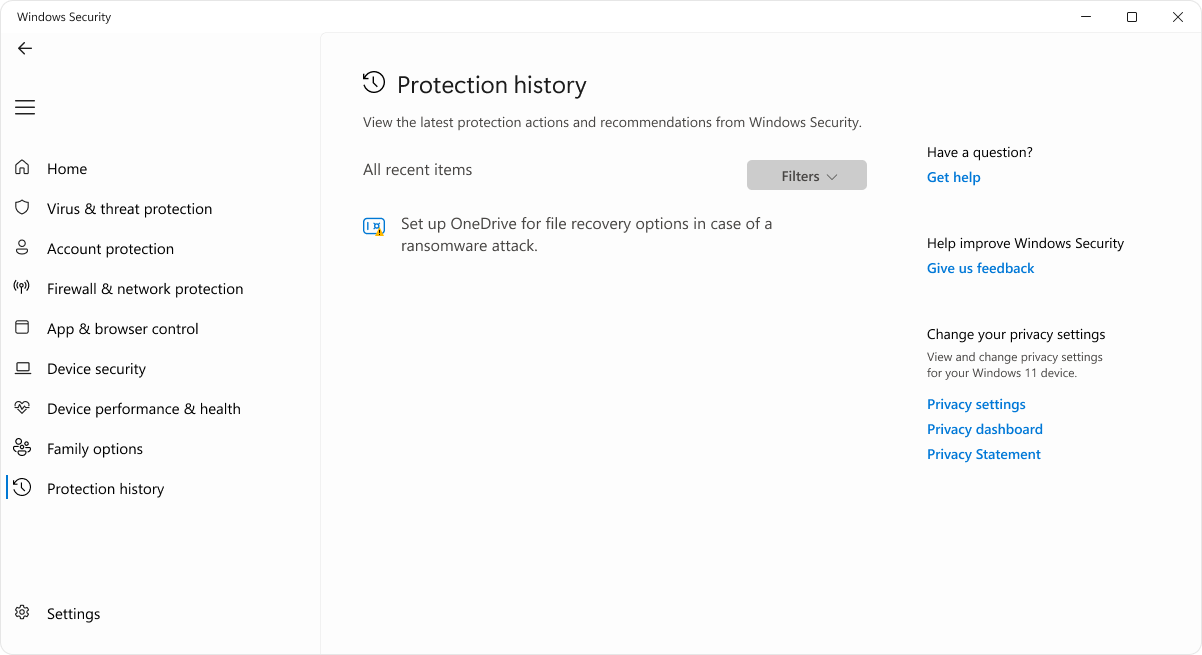
A matching detection confirms Defender recorded the specified item. It cannot tell you how many documents were encrypted. If the genuine card names a different threat, use the name and path on that card for follow-up. Protection history retains events for about two weeks, so an empty list has limited value for an older incident.
What to do about the installer and your files
You only downloaded the file. Leave a quarantined item in quarantine. For an action-needed card, select Quarantine inside Windows Security. Remove any remaining downloaded copy through File Explorer without opening it. A successful block before launch and normal personal files give you no reason to seek a decryptor based on this image. Our guide to fake GTA 6 downloads covers related lures.
You ran the installer. Disconnect the PC from the network and keep backups offline. Record the filename, download source and time. Once you have preserved the evidence you need, run a full system scan. Quarantining the original installer can still leave a second downloaded file or a startup task behind. On a personal PC, Gridinsoft Anti-Malware can run a full scan for those leftovers. If a scan identifies a password stealer, use a clean device to revoke exposed account sessions and change passwords.
Your documents stopped opening or acquired a new extension. Keep the machine isolated even if Defender says the installer was removed. Photograph the note, record a few affected filenames and preserve the originals. Avoid renaming files in bulk, running an unverified decryptor or plugging in a backup to test it. Have the system cleaned or rebuilt before restoring known-good copies. Malware removal can stop further activity. Recovering data already encrypted requires a suitable backup or a verified recovery method for the actual ransomware family. The countdown and QR code establish neither.
References
- r/GTA6unmoderated. Why does my PC GTA 6 say this?? Reddit, November 26, 2026. Source of the pictured wording.
- Microsoft Learn. How Microsoft names malware. Accessed November 26, 2026.
- Microsoft Security Intelligence. Threat encyclopedia lookup for Trojan:Win32/GTAVI.Ransom. Checked November 26, 2026.
- Microsoft Support. Protection history in the Windows Security app. Accessed November 26, 2026.
- Microsoft Learn. Microsoft Defender Antivirus event IDs and error codes. Accessed November 26, 2026.
- Cybersecurity and Infrastructure Security Agency and partners. #StopRansomware Guide, part 2, Ransomware and Data Extortion Response Checklist. Accessed November 26, 2026.