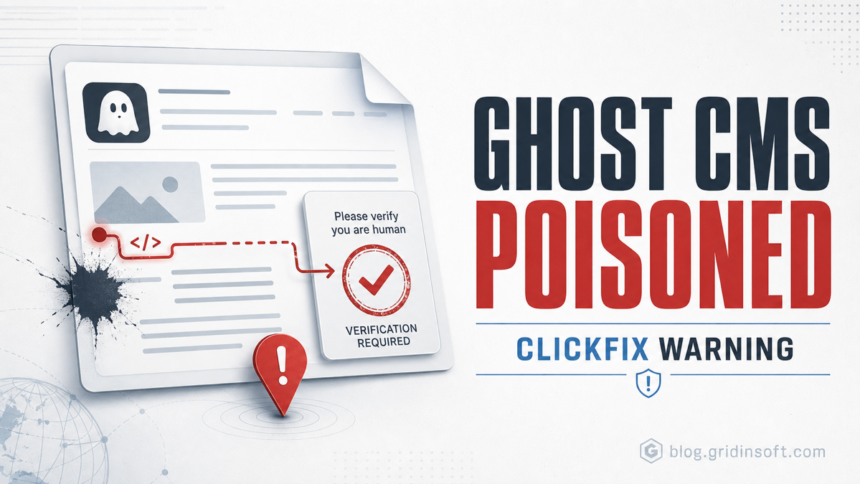
Attackers are exploiting Ghost CMS CVE-2026-26980 to turn legitimate blogs and company pages into ClickFix malware lures. QiAnXin XLab says it has identified more than 700 poisoned Ghost domains after attackers used the SQL injection flaw to steal Admin API keys, modify posts in bulk, and append malicious JavaScript loaders to the bottom of pages [1].
The user-facing danger is not only the vulnerable CMS. Visitors can land on a trusted Ghost-powered site and see a fake human-verification page that tells them to run a command locally. That is the ClickFix pattern Gridinsoft has covered before in WordPress malware campaigns and fake-fix lures: the page makes the victim do the final execution step.
Who is affected
Site owners should act if they run self-hosted Ghost from v3.24.0 through v6.19.0. Ghost’s advisory says v6.19.1 fixes the SQL injection and recommends reviewing staff users and rotating keys because the bug can expose API keys [2]. Readers should also be cautious if a normal blog, SaaS page, university page, or media article suddenly shows a Cloudflare-style verification prompt asking them to press Win+R, paste text, or execute a copied command.
| Signal | Why it matters |
|---|---|
| Ghost v3.24.0-v6.19.0 | These versions are vulnerable; v6.19.1 contains the fix. |
| Bulk post edits or unfamiliar Admin API use | Attackers used stolen Admin API keys to inject loaders across article content. |
| Fake verification page | The lure asks visitors to run local commands instead of completing a normal browser challenge. |
| Suspicious downloads such as update.zip or NotepadPlusPlus.zip | XLab observed ClickFix chains that downloaded scripts, DLLs, and an Electron-based payload. |
XLab describes a five-stage chain: CMS takeover, page poisoning, two-stage script loading, fake verification, and malware delivery. The campaign used cloaking so crawlers or researchers could see a harmless page while real visitors were redirected to a fake verification flow. In later stages, XLab observed loaders calling PowerShell or rundll32 and an Electron payload that attempted persistence [1].
What to do now
If you operate Ghost, update first. For a current 6.x self-hosted install, Ghost’s documentation points administrators to ghost update and recommends a backup first [3]. After patching, do not stop at version checking: rotate Admin API keys, Content API keys, staff passwords, and active sessions, then review staff users for unknown or long-unused accounts.
If you own the affected Ghost site
- Patch to Ghost v6.19.1 or later, then verify the running version from the server rather than only from the admin UI.
- Rotate Admin API keys first, then Content API keys, staff passwords, and active sessions.
- Inspect post bodies, code injection settings, theme files, and Admin API logs for bulk edits or unfamiliar clients.
- Search for suspicious strings such as
atob(,appendChild,btoa(a.origin), obfuscated JavaScript, or unusual script tags near the end of article content. - Purge CDN, page cache, and Ghost cache only after the malicious loader is removed, otherwise the poisoned page can keep reaching visitors.
Do not rely only on the visual editor. If injected HTML lives in the database or a theme file, it can survive a superficial cleanup and reappear after cache refreshes.
If you saw a ClickFix prompt as a visitor
Close the tab and do not paste or run the command. A real browser or Cloudflare verification does not need Win+R, PowerShell, Terminal, or a copied command. Check browser downloads for unexpected archives, especially items named like update.zip, fake Notepad++ packages, or fake verification utilities.
If you already ran the command, disconnect from sensitive accounts, remove the downloaded payload, and scan the system. Then review browser extensions, startup entries, scheduled tasks, and recent files in Downloads, Temp, and AppData. A second-opinion scan with Gridinsoft Anti-Malware can help catch leftover DLLs, scripts, or stealer components after the visible browser tab is closed.
FAQ
Is this only a Ghost administrator problem?
No. Ghost administrators need to patch and clean the site, but visitors can be targeted when a compromised trusted site displays a fake verification prompt.
Which Ghost version fixes CVE-2026-26980?
Ghost’s GitHub advisory lists v6.19.1 as the patched version and says versions v3.24.0 through v6.19.0 are vulnerable.
Should I run a copied command to pass verification?
No. A real browser or Cloudflare verification does not require you to press Win+R and paste a command. Treat that flow as a malware delivery attempt.
What should a site owner rotate after compromise?
Rotate Admin API keys first, then Content API keys, staff passwords, and sessions. Review staff users and remove unknown or long-unused keys.