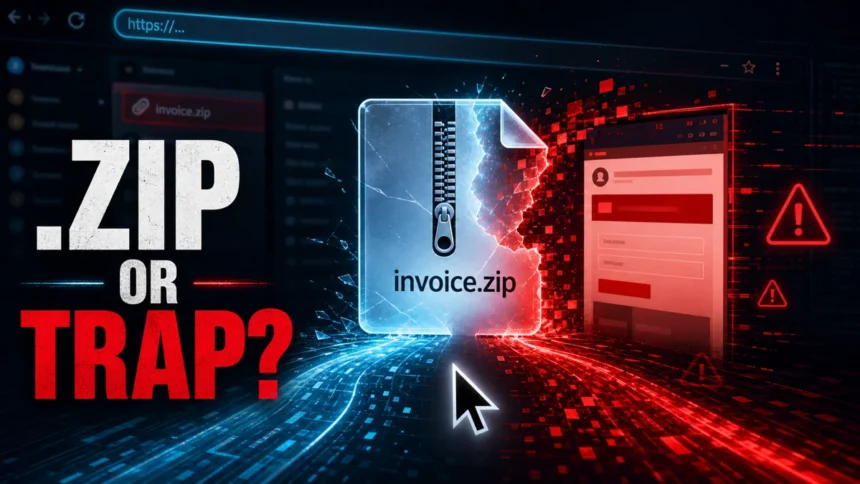
.zip domains are real websites, not ZIP archive files. They are not automatically malicious, but they deserve extra attention because a string such as invoice.zip, photos.zip, or update.zip can look like a file name while opening a web domain. Treat unexpected .zip links in email, chat, tickets, code comments, or shared documents as suspicious until you inspect the full URL and the sender context.
.zip domain safety checklist
- A legitimate .zip domain can be safe, especially when you meant to visit that exact site.
- An unexpected .zip link is risky because apps may auto-link text that looks like a file name.
- HTTPS on a .zip site does not prove the site is trustworthy; it only protects the connection.
- Before clicking, check the real domain, sender, destination path, and reputation report.
What Is a .zip Domain?
A .zip domain is a top-level domain, just like .com, .net, or .app. Google Registry operates the .zip namespace and requires registrants to be told that .zip sites need HTTPS to work in modern browsers. Google also lists its developer-focused TLDs, including .zip and .mov, as HSTS-preloaded secure namespaces [1] [2].
That security requirement matters, but it does not solve the main human problem. A browser can enforce HTTPS and still load a phishing page if the attacker controls the domain. The risk is not that every .zip domain is dangerous. The risk is that .zip overlaps with a familiar file extension, so people and software can mistake a web address for a downloadable archive.
Are .zip Domains Safe?
A .zip domain is safe only when the site itself is trustworthy. The extension alone should not decide the verdict. A known developer’s personal site on .zip may be harmless; a random payroll.zip link in an email from an unknown sender should be treated as a possible phishing or malware lure.
Security researchers revisited the issue in 2026 and framed it as DNS and filename confusion: the same text can be interpreted as a file name in one context and a domain name in another. Their paper notes that the concern is no longer purely hypothetical because software, messaging tools, and web resources can handle these strings differently [3].
Why Scammers Like .zip Links
The attraction is simple: the link can look ordinary at first glance. A victim may expect a file, but the click opens a website controlled by the attacker. From there, the page can imitate a file download, a cloud storage preview, a Microsoft sign-in page, a fake archive viewer, or a fake security prompt.
- File-name disguise:
statement.ziplooks like an attachment, not a domain. - Auto-linking: email clients, chats, notes, issue trackers, and documents may turn plain text into a clickable link.
- Brand bait: attackers can combine familiar words with .zip, such as backup, invoice, payroll, photos, update, or support.
- Fake archive pages: a phishing page can pretend to be a file preview, an extraction screen, or a download portal.
- Mixed mental model: users may ask “is this a file?” when they should ask “what domain will this open?”
When a .zip Link Is Risky
| Situation | Risk and what to do |
| A coworker says “download invoice.zip” and the text is clickable | Hover or long-press before opening. Confirm whether it points to a real company domain, cloud storage URL, or a standalone .zip website. |
An email contains a bare link such as documents.zip |
High risk. Do not sign in or download anything until you verify the sender and inspect the domain reputation. |
| A known developer or project intentionally uses a .zip domain | Can be legitimate. Still check HTTPS, ownership signals, public reputation, and whether the site is linked from the developer’s official profiles. |
| The page asks you to install an “archive viewer” or “security update” | Stop. That is a common malware delivery pattern. Close the page and scan any downloaded file before opening it. |
| Your company wants to block the whole .zip TLD | Consider the audience and business need. A stricter policy can help high-risk users, but allowlisting known legitimate .zip domains is cleaner than assuming every .zip site is malicious. |
How to Check a .zip Domain Before You Click
- Read the whole destination. Hover on desktop or long-press on mobile. Check whether the real host ends in
.zipor whether the .zip text is only part of a longer URL path. - Look for sender context. A link from an unexpected email, payment notice, shared drive invitation, or password reset deserves more suspicion than a link you requested.
- Check the domain separately. Paste the domain, not your credentials, into the Gridinsoft Website Reputation Checker to review safety signals, redirects, age, and phishing indicators.
- Do not trust HTTPS alone. A valid certificate means the connection is encrypted. It does not mean the page, download, or login form is legitimate.
- Avoid running downloads from the page. If a .zip domain offers an installer, password-protected archive, browser extension, or “required viewer,” treat it as untrusted until scanned.
- Compare with the official source. For software, account portals, invoices, and storage links, go to the official site directly instead of using the message link.
If You Already Clicked a Suspicious .zip Link
If you only opened the page and closed it, the risk is usually lower than if you downloaded a file, entered credentials, allowed notifications, or ran an installer. Still, check the browser downloads list and do not reopen the page from history.
- If you entered a password, change it from the real website and enable multi-factor authentication.
- If you downloaded a file, do not open it. Scan it first and delete it if the source is unclear.
- If you ran an installer or script, disconnect from the network and scan the device with a trusted anti-malware tool.
- If the page asked for browser notifications, revoke the permission in browser settings.
- If the link came from a work mailbox, report it to your IT or security team with the full message headers if possible.
For archive-specific malware risk, use our related guide: Can Opening a ZIP or RAR File Give You a Virus?. For the earlier wave of .zip and .mov phishing demos, see Attackers Can Use .Zip and .Mov Domains for Phishing.
Should You Block .zip Domains?
For home users, blocking the entire .zip TLD is usually less important than learning to inspect links and using browser, DNS, and antivirus protections. For managed environments, a default-deny or warn-on-click policy can make sense for teams that rarely need .zip websites, especially in email and chat clients where file-name confusion is most likely.
Do not treat the .zip extension as the only dangerous namespace. The 2025 phishing landscape shows heavy abuse across many familiar and unfamiliar TLDs, with .com, .top, .bond, .xyz, .shop, .info, and others producing far more reported phishing domains in that measurement window [4]. The better rule is context plus reputation: who sent it, what domain loads, what the page asks you to do, and whether independent safety checks agree.
FAQ
Are all .zip domains malicious?
No. .zip is a real top-level domain, and legitimate sites can use it. The danger is the confusion with ZIP archive file names, especially in email, chat, and shared documents.
Does HTTPS make a .zip domain safe?
No. HTTPS protects the connection between your browser and the site, but it does not prove that the site owner is trustworthy or that a download is clean.
Can a .zip domain download malware automatically?
A normal website should not be able to infect a patched browser by itself, but it can trick you into downloading and running a malicious file, installing an extension, allowing notifications, or entering credentials.
How can I tell whether .zip text is a file or a website?
If it is clickable and the destination host ends in .zip, it is a website. A real ZIP file usually appears as an attachment, a download from a known domain, or a path ending in .zip after a trusted host name.
Should companies block .zip domains?
Some organizations block or warn on .zip domains because their users do not need them. A better enterprise policy is usually warn-by-default plus allowlisting for known legitimate .zip sites.
References
- Google Registry. “.zip Domain Registration Policy.” Google Registry, accessed June 7, 2026. https://www.registry.google/policies/registration/zip/
- Google Registry. “Secure domains for developers and technology lovers.” Google Registry, accessed June 7, 2026. https://www.registry.google/tlds/tech/
- Predrag Despotovic, Pranab Mishra, Kevin Rossel, Athanasios Avgetidis, and Zane Ma. “Unpacking .zip: A First Look at Domain and File Name Confusion.” arXiv:2604.04805, revised April 7, 2026, accessed June 7, 2026. https://arxiv.org/abs/2604.04805
- Cybercrime Information Center. “Phishing Landscape 2025: Top-level Domains (TLDs) May 1, 2024 – April 30, 2025.” Interisle Consulting Group, accessed June 7, 2026. https://www.cybercrimeinfocenter.org/phishing-activity-in-tlds-may-april-2025