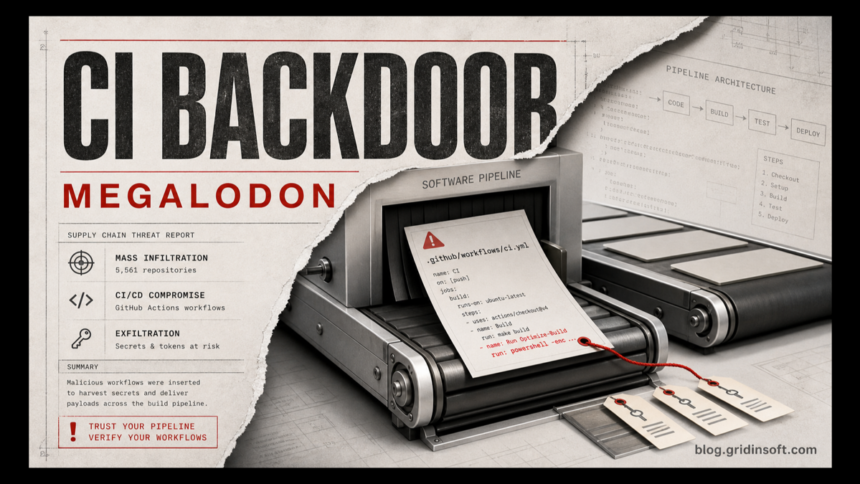
Megalodon is a large GitHub Actions malware campaign that pushed malicious CI/CD workflow commits into 5,561 public repositories in about six hours, according to SafeDep’s research. The practical risk is not only the changed source tree: a poisoned workflow can run inside a trusted build environment, read secrets, and reach package-publishing or cloud-deployment paths before maintainers notice the commit.
Developers and repository admins should treat this as a workflow-integrity incident. The first useful question is not whether application code looks normal, but whether a new or modified workflow file can run with credentials, OIDC federation, package tokens, SSH keys, or access to a self-hosted runner.
Who is affected
The highest-risk group is maintainers of public GitHub repositories that accepted suspicious automated-looking commits on May 18, 2026, especially commits authored as routine CI bots. Package users can also be exposed when a maintainer publishes from a poisoned repository; SafeDep highlighted the Tiledesk npm package path as an example of repository compromise reaching package versions.
| What to check | Why it matters |
|---|---|
.github/workflows/*.yml changes |
Megalodon used GitHub Actions workflow changes rather than a normal application payload. |
Commit authors such as build-bot, auto-ci, ci-bot, or pipeline-bot |
The campaign used bot-like author names and routine maintenance messages to look harmless. |
SysDiag, Optimize-Build, and unexpected workflow_dispatch workflows |
These patterns can indicate immediate secret harvesting or a dormant backdoor that can be triggered later. |
| Cloud, deployment, npm, GitHub, SSH, Docker, Kubernetes, Vault, and Terraform secrets | CI runners often hold exactly the tokens attackers want after a repository compromise. |
What Megalodon tried to steal
SafeDep and OX Security both describe Megalodon as credential-stealing CI/CD malware. The payload searched runner environments and configuration files for cloud keys, GitHub and npm tokens, SSH private keys, Docker and Kubernetes configuration, Vault and Terraform credentials, database strings, JWTs, and other secrets commonly present during builds.
That is why a simple revert is not enough. If the workflow executed, assume secrets reachable from that runner may have been exposed. If the repository publishes packages, also compare the affected package versions against the clean source and review release artifacts before telling users the incident is contained.
What to do now
- Freeze risky automation first. Disable suspicious workflows and pause package publishing from affected repositories until the workflow history is reviewed.
- Review commits and workflow files. Search the repository for the bot-like commit authors, May 18 workflow changes, unexpected base64 blobs, and new workflow triggers that maintainers did not approve.
- Check GitHub Actions runs. Look for unexpected runs, especially manual or API-triggered runs, and compare them with cloud audit logs and package publishing timestamps.
- Rotate exposed secrets after scoping. Rotate GitHub, npm, cloud, SSH, deployment, Vault, Terraform, and database secrets that were available to any executed workflow. Revoking tokens before removing the backdoor can leave the same workflow ready to steal replacements.
- Audit maintainer devices. If a maintainer token or deploy key was abused, scan the workstation for infostealers. A local malware infection can explain stolen GitHub credentials and can also steal the newly rotated secrets. A second-opinion scan with Gridinsoft Anti-Malware is useful before logging back into sensitive developer accounts.
- Check downstream packages. If the repository publishes to npm or another registry, verify the published versions and notify users when a compromised build artifact may have shipped.
For related supply-chain response context, see Gridinsoft’s guides on npm staged publishing controls, Packagist postinstall malware, and Composer packages rewritten to steal CI secrets.
Related TrapDoor check
If your team is reviewing CI workflow poisoning, also check TrapDoor package poisoning, which targets developer machines, build steps and AI coding assistant configuration files.
Related admin check: if your Git workflows depend on self-hosted services, also review the Gogs RCE open-registration risk because repository access and merge settings can become a server compromise path.
FAQ
Is Megalodon a normal malware infection on my PC?
No. The main infection path is a malicious GitHub Actions workflow inside repositories. A maintainer PC still matters if stolen credentials were used, so scan it before rotating secrets from that same machine.
Does reverting the malicious commit fix everything?
It removes the visible workflow change, but it does not undo secrets that may already have been read by a runner. Review workflow runs and rotate affected credentials after the backdoor is removed.
Should package users remove Tiledesk versions from May 19 to May 21?
If you installed or built from the affected Tiledesk package versions named by SafeDep, update to a clean version and review systems that executed the package or build pipeline during that window.
What should small teams check first?
Start with recent workflow-file changes, unexpected Actions runs, GitHub tokens, npm tokens, cloud deployment keys, and maintainer workstations that had repository access.