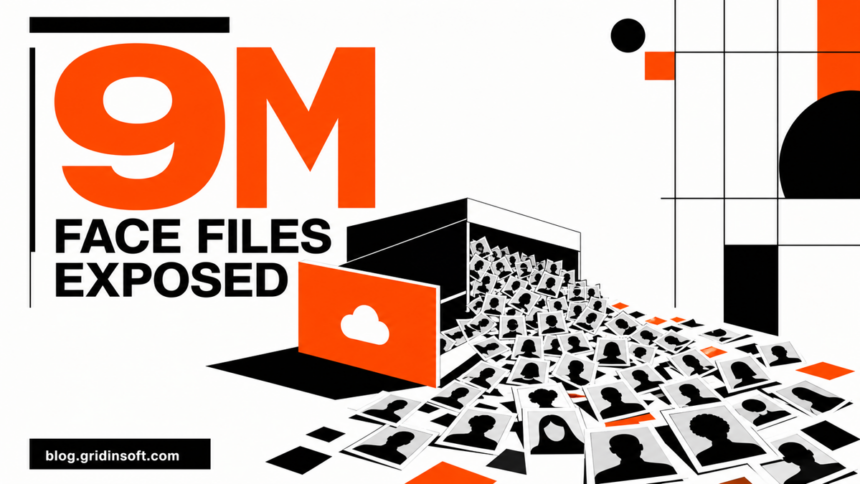
A cloud storage database linked to the people-search service ClarityCheck was reachable without authentication and contained 9,042,977 image files totaling 450.2 GB. Security researcher Jeremiah Fowler reported that many files showed faces and were stored in folders named faces and profiles. The storage has since been restricted.
The number describes files, not confirmed unique people. ClarityCheck says the collection included duplicate, cropped, and resized copies, and no public evidence shows that criminals downloaded it. The incident is therefore a confirmed data exposure, not proof of a hack, exfiltration, or nine million victims.
Who may be affected?
The exposed store appeared to contain photos uploaded for reverse-image searches and related processing files. Fowler’s limited review found profile images, screenshots, and physical photographs involving adults, teenagers, and children. A person could appear in the collection without having a ClarityCheck account because another user may have uploaded their photo to identify them.
WIRED also reported a separate API configuration issue that could return possible email addresses, phone numbers, and physical addresses after a name was placed in a URL. ClarityCheck said those details came from public information and licensed providers. The company secured that route after WIRED contacted it.
Your situation — What to do
- You uploaded a photo to ClarityCheck: Delete the related cached report or history if the control is available, save the confirmation, and submit an account or data-erasure request if you no longer need the service.
- Someone else may have uploaded your photo: You may not have an account or notification. Save any ClarityCheck result URL or screenshot that identifies you and request erasure or delisting through the service’s Help Centre or privacy contact.
- Your face appears in a fake profile: Preserve the profile URL, username, messages, and timestamps, report the account to the platform, and warn close contacts not to trust requests for money or codes.
- A message using your photo includes a link or file: Do not sign in or open the download. Verify the sender through another channel; scan a suspicious file or URL with the Gridinsoft Online Virus Scanner before any further interaction.
What is confirmed—and what is not
The cloud location was discoverable in ClarityCheck’s public website code and did not require a password or other authentication. That is enough to classify the data as exposed: an unintended person who knew the URL could reach it. An unindexed URL is not an access control.
At the same time, exposure does not establish theft. Fowler says he reviewed only the records necessary to validate the issue and did not download the dataset. Only ClarityCheck or its storage provider could determine from logs whether other parties accessed or copied the files. No such malicious access has been confirmed publicly.
The unique-person count is also unknown. One uploaded photo can create cropped, resized, or temporary processing versions. The safest wording is therefore “more than nine million image files,” not “nine million people” or “nine million biometric identities.”
Check the current retention and deletion controls
ClarityCheck’s current privacy policy, accessed August 20, says reverse-image uploads, temporary processing files, and related report-cache assets are retained for no longer than seven days before deletion from active systems within a commercially reasonable time. The policy lists limited exceptions for security, fraud prevention, backups, and legal compliance.
Fowler’s report says he observed image timestamps older than the 14-day retention period described by the service at the time of his investigation. The current seven-day language and the researcher’s observation are both relevant, but neither lets an outside reader determine exactly when a particular file was deleted from backups or whether it was accessed.
- Record what you uploaded. Note the image, upload date, account email, and any report or history entry that still exists.
- Delete cached results first. Use the report-history controls where available, then save the confirmation page or email.
- Request account deletion if appropriate. Use the designated account-deletion flow rather than sending a password or one-time code to support.
- Request erasure or delisting. Identify the exact result, URL, or image and ask the privacy contact to suppress it from future ClarityCheck results and active caches.
- Contact the original host too. ClarityCheck’s policy says delisting does not remove the source photo from a social network, website, or data provider.
- Share only the proof required. If identity verification is requested, ask what fields are necessary and redact unrelated document numbers or details where the process allows it.
Retention can also differ between data types inside one service. The Talking Tilly privacy analysis distinguishes the age-check selfie, live mood inference, recording, transcript and conversation memory. It is a separate data-handling case, not a reported breach, but illustrates why a deletion request should name the records you want removed.
Respond to impersonation without overreacting
A face image alone does not let someone sign in to your email or bank account. Do not reset every password solely because a photo may have been exposed. Change passwords, revoke sessions, and enable multi-factor authentication when there is separate evidence of account access, reused credentials, a suspicious login, or a successful phishing attempt.
The more immediate risk is credibility abuse. A real photo can make a fake dating profile, social-media account, payment request, or targeted phishing message look convincing. The catfishing guide explains how to compare profile history, image reuse, stories, and requests for money. If money or identity documents have already been sent, follow the online scam response checklist and preserve the evidence before blocking the account.
FAQ
Were nine million people exposed?
That has not been established. The verified figure is 9,042,977 image files. ClarityCheck says those files included duplicate, cropped, and resized copies, so the number of unique depicted people is unknown.
Was the ClarityCheck database stolen?
No public evidence confirms theft or malicious download. The database was reachable without authentication, which is a serious exposure, but access logs would be needed to determine whether anyone else copied it.
Should I change passwords because my photo may be present?
Not for the photo alone. Change credentials and revoke sessions if you also see account compromise, a suspicious login, reused passwords, or successful phishing. For image exposure, prioritize deletion, delisting, fake-profile monitoring, and warning contacts about impersonation.
References
- Jeremiah Fowler. “Reverse image search platform exposed 9 million images,” ExpressVPN Research and Reports, published August 19, 2026. Research report and disclosure boundaries.
- Lily Hay Newman and Matt Burgess. “Reverse-Lookup Service Exposed Millions of Photos of People’s Faces,” WIRED, published August 19, 2026. Independent reporting and ClarityCheck response.
- ClarityCheck. “Privacy Policy,” accessed August 20, 2026. Current retention, deletion, and erasure terms.