A fake payment PDF can show a convincing receipt while a script installs a remote-management agent in the background. In an October 6 report, SANS Internet Storm Center researcher Xavier Mertens traced two document lures to an Action1 installer: one posed as a payment confirmation, the other as a DHL document. The trick was not a flaw in Action1. It was getting a recipient to accept software installation as part of reading a document.
If an invoice asks you to download an Adobe update, run a .vbs file or open an .hta script, stop. The important boundary is the move from viewing a document to executing code.
The unreadable receipt was the bait
Mertens examined an attachment named Transaction Receipt.pdf. Its visible message claimed that an Adobe update was needed to view the PDF. The receipt underneath was blurred, making the supposed update look like a prerequisite for reading the payment details.
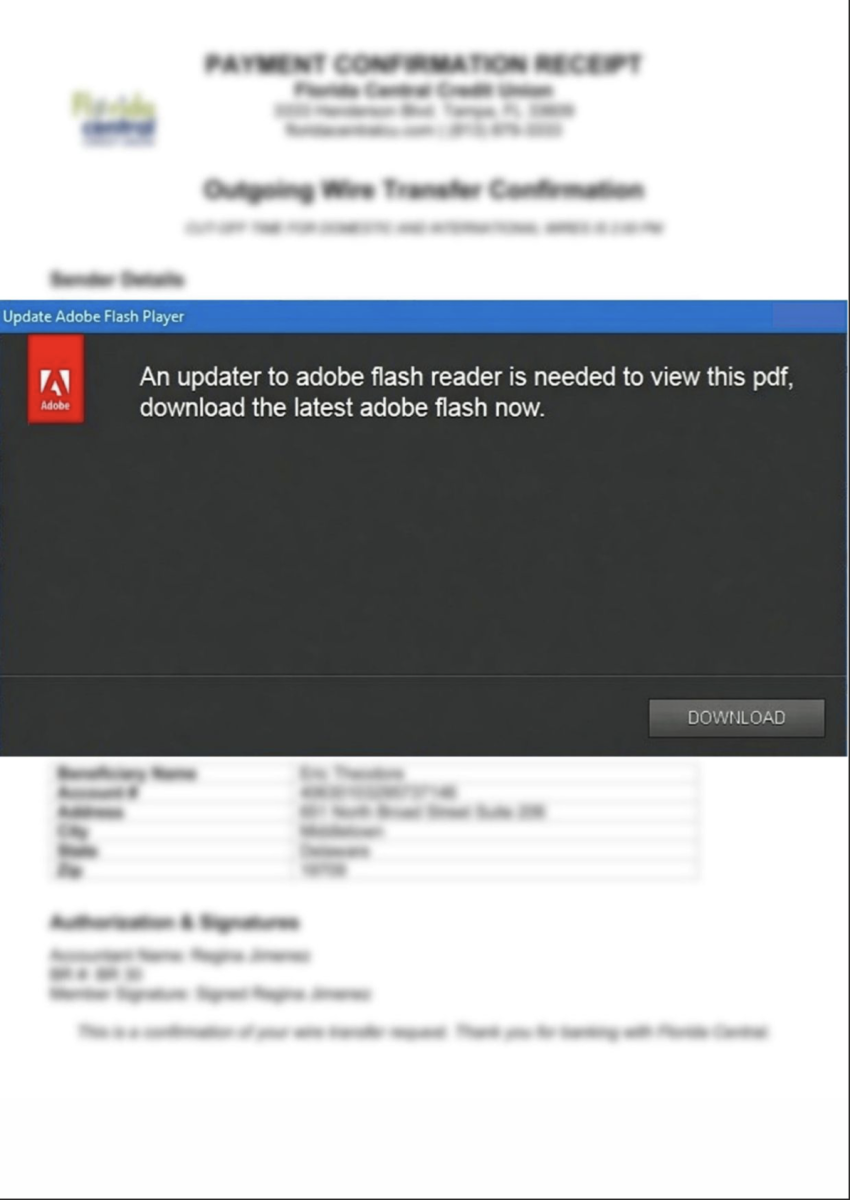
The PDF contained an opening action and a web link leading to a VBScript file disguised as an Adobe update. That moved the delivery URL out of the email body and into the attachment. Mertens reports that the opening action visits the URL; the report does not establish that every PDF reader automatically executes the downloaded script. Reaching a script download and running it are different events.
Example
Subject: Payment confirmation
Sender: Billing desk — billing [at] example [dot] invalid
Message: Hello, Please find the payment confirmation in the attached document.
Attachment: Transaction Receipt.pdf
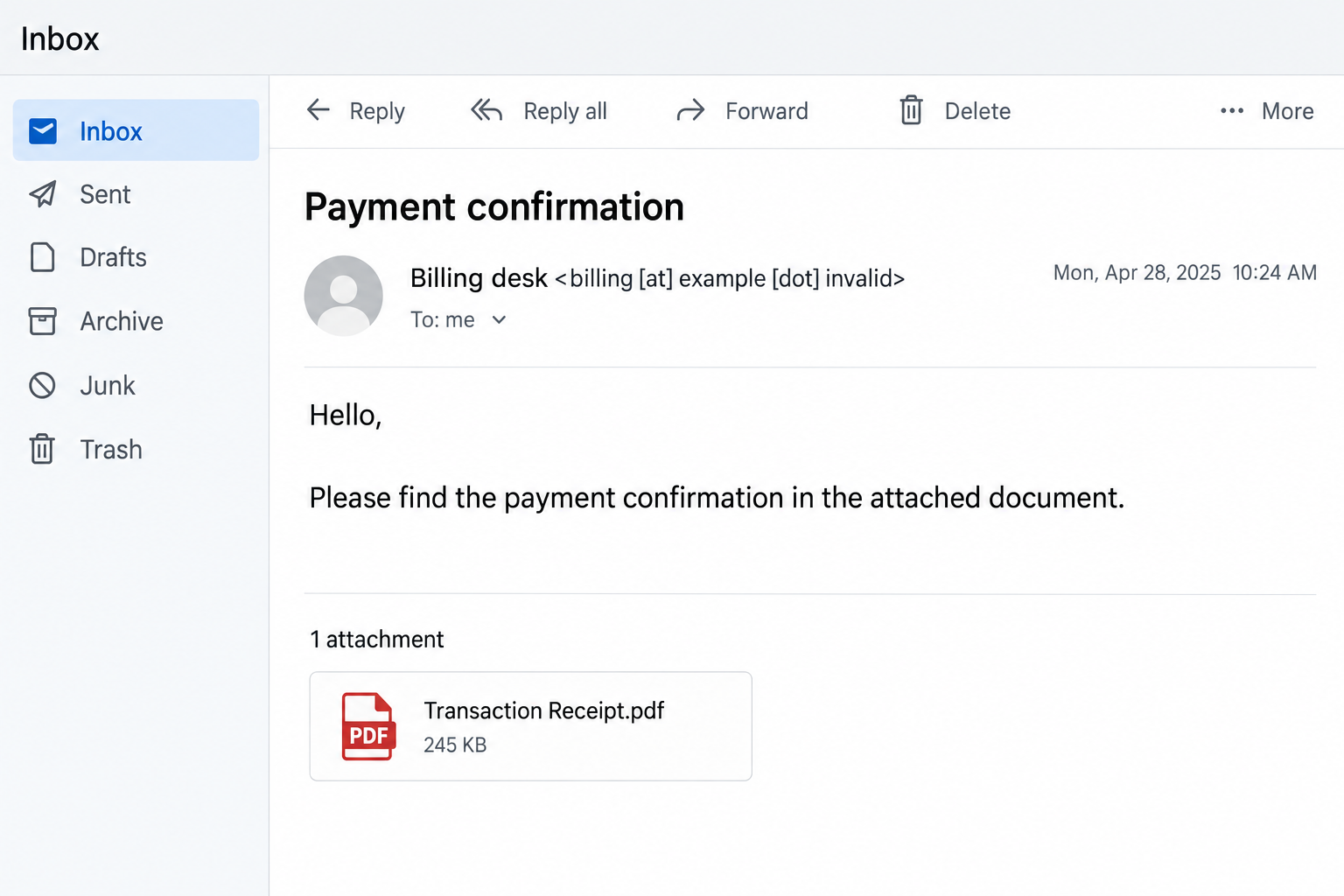
The email above is an illustration. The source documents the attachment and its Adobe-update lure, rather than this exact sender or email wording.
A readable document concealed a second job
The downloaded VBScript had two roles. It displayed an unblurred PDF as a decoy and, in parallel, downloaded and installed an MSI package containing Action1 components. Showing the document gave the recipient a reason to believe the requested update had worked. The background installation was the consequential part.
In a second sample, a DHL-themed PDF led to a ZIP archive containing an HTA script, which delivered the same MSI. The packaging changed, but the trust decision stayed the same: a document-reading request was turned into permission to run software.
That pattern also appears in the separate MSP360 and ScreenConnect invitation case. The connection is the abuse of legitimate remote-access software, not evidence that the campaigns share an operator.
Why legitimate files still matter in an unauthorized install
Mertens found four Action1 files that VirusTotal did not flag as malicious in his check. He also observed an Action1 Corporation signing certificate that had expired in May 2026. Neither observation establishes that the installation was authorized: legitimate software can still serve an attacker when it is enrolled through a deceptive document.
The installation created the A1Agent service, displayed as Action1 Agent, running C:\Windows\Action1\action1_agent.exe. The researcher identified an Action1 customer identifier in HKLM\Software\Action1\Agent and a connection to the vendor’s cloud infrastructure. He suggested a free or test account might have been used; that account type was not confirmed.
An Action1 service on a managed work PC can be legitimate. Its name alone is not a malware verdict. The useful question is whether your IT team deployed it, and whether its installation time matches a suspicious document you opened or software you ran. The report does not demonstrate a particular victim’s files were stolen or that ransomware followed.
Act according to what actually ran
If you only received the email, report it and delete it. If you downloaded a script but did not run it, do not execute it to investigate. If you ran the script or installer on a work device, contact IT and give them the attachment, message and approximate time; they can check deployment records and preserve evidence before removing an agent.
On a personal Windows PC, an unwanted agent or recurring security alert warrants cleanup. Removing a visible file can leave a service, loader, scheduled task or bundled component behind. Download and install Gridinsoft Anti-Malware, update its database, run a Full Scan, review and remove detected threats, then restart. A scan can look for malicious leftovers; it cannot revoke an attacker’s accounts or prove that no access occurred.
If the page or email made you download an invoice, coupon, tracking app, browser extension, or support tool, scan the PC before opening it again or logging into sensitive accounts.
Scan downloads from this scamThe telling detail in this case is the readable PDF: getting the document you expected was compatible with an unauthorized installation happening at the same time.
References
- Xavier Mertens. More RMM Tools In the Wild. SANS Internet Storm Center, October 6, 2026; accessed October 7, 2026.