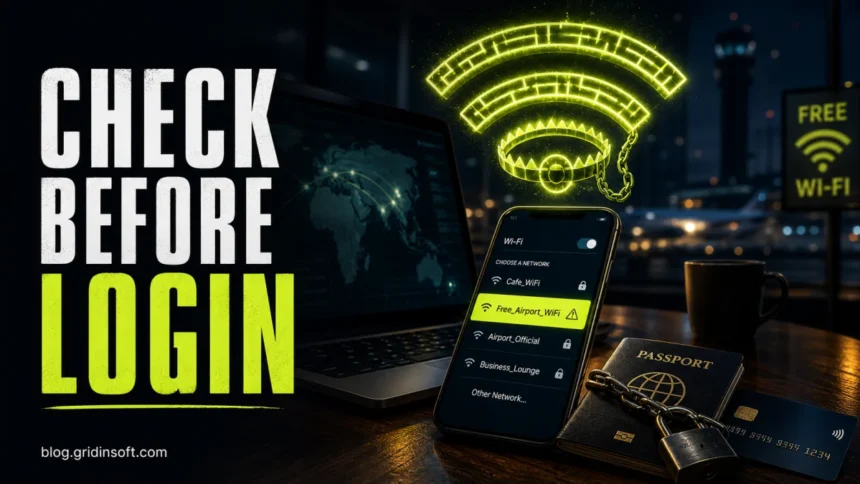
Public Wi-Fi is useful when you travel, work from a cafe, or wait at an airport, but it should be treated as an untrusted network until you verify it. The safe way to connect is simple: confirm the exact network name, use public-network mode, avoid sensitive logins unless you have a trusted VPN or mobile data, and forget the network when you leave.
Public Wi-Fi Safety Checklist
| Before you connect | Ask the venue for the exact network name, avoid look-alike names, turn off auto-join, and set the network profile to Public on Windows. |
| At the captive portal | Do not install certificates, apps, browser extensions, “security updates”, or media players just to get online. A normal public Wi-Fi portal should not need your banking details or social account login. |
| While online | Use HTTPS sites, avoid certificate warnings, keep file sharing off, and use a trusted VPN when the account or data matters. |
| For sensitive tasks | Use mobile data or a personal hotspot for banking, checkout pages, password vaults, work dashboards, and cloud admin panels. |
| After you leave | Forget the network, close sensitive sessions, review browser notification permissions, and scan anything you downloaded. |
How to Connect to Public Wi-Fi Safely
- Verify the network name. Attackers often use names like Free_Airport_WiFi, Hotel_Guest_5G, or a misspelled copy of the real network. Check a sign, receipt, app, or staff member instead of trusting the strongest signal.
- Avoid duplicate or suspicious hotspots. If three networks look almost identical, use mobile data. A fake hotspot, also called an evil twin, is designed to make you choose the wrong one.
- Use public-network mode. On Windows, choose a Public network profile so discovery and sharing are restricted. This reduces the chance that strangers on the same Wi-Fi can see shared folders or services.
- Disable auto-join. Your device should not reconnect to airport, hotel, mall, or cafe networks later without asking you.
- Check the first page you open. If the portal asks for unusual permissions, a certificate install, a payment card for “verification”, or a social login, leave the network.
- Prefer mobile data for logins that matter. Public Wi-Fi is fine for reading, but it is the wrong place to handle money, account recovery, payroll, cloud admin, or password-vault work.
What People Search Before Connecting
Search demand around public Wi-Fi is practical: people look for phrases such as connecting to public wifi, how to connect to public wifi, using public wifi, public wifi safety, and is it safe to connect to public wifi. That intent is less theoretical and more procedural, so this guide focuses on the checks to make before tapping Connect.
Main Public Wi-Fi Risks
- Fake hotspot or evil twin. A network name can imitate the venue and route you through attacker-controlled equipment.
- Phishing captive portal. A fake sign-in page can ask for email, social credentials, payment data, or a downloaded “helper” file.
- Unsafe old traffic. HTTPS protects many modern websites, but old apps, bad redirects, certificate warnings, and non-browser traffic can still leak useful details.
- Device exposure. File sharing, printer sharing, AirDrop receiving, and network discovery can reveal more than you expect on a crowded network.
- Session and account abuse. Attackers do not always need to read everything; sometimes a fake page, stolen password, or malicious download is enough.
Public Wi-Fi vs Mobile Data
Mobile data is usually the safer choice for private activity because you are not sharing the same local network with strangers in the room. Use public Wi-Fi when data is limited or signal is weak, but move sensitive logins, payments, password resets, and work administration to mobile data or a trusted hotspot whenever possible.
If you need a broader risk overview, see our companion guide: Is Public Wi-Fi Safe? How to Protect Your Data.
A verified network name is not enough if the venue gateway itself is compromised. ReliaQuest documented hotel Wi-Fi DNS poisoning that redirected Microsoft 365 logins; an always-on full-tunnel VPN or trusted mobile connection prevents the local gateway from choosing the DNS path for sensitive sign-ins.
Do You Need a VPN on Public Wi-Fi?
A VPN helps because it encrypts traffic between your device and the VPN provider, limiting what the local Wi-Fi operator or nearby attacker can observe. It is especially useful in hotels, airports, conferences, shared apartments, and coworking spaces.
A VPN is not a phishing shield. It will not stop you from typing a password into a fake banking page, approving a malicious browser notification, or installing a fake “Wi-Fi certificate”. Keep checking the domain, certificate warnings, and portal behavior.
What to Do After Using Suspicious Public Wi-Fi
- Forget the network so your device does not auto-join it later.
- Close sessions you opened while connected, especially email, work, banking, and cloud dashboards.
- Review browser notification permissions if the portal asked to show alerts.
- Change passwords from a trusted connection if you entered credentials on a suspicious page.
- Scan files before opening them if the portal pushed a download or you installed anything.
If a public Wi-Fi portal pushed a file or suspicious link, check it first. You can use the Gridinsoft Online Virus Scanner for downloaded files or the URL Scanner for links. If you are worried that a shared network exposed your device, this related guide explains what can and cannot spread over Wi-Fi: Can Malware Spread Through Wi-Fi? Shared Network Risks.
FAQ
Is public Wi-Fi safe for banking?
Use mobile data if you can. If you must bank on public Wi-Fi, verify the network, use the official banking app or a correct HTTPS domain, keep MFA enabled, and do not continue through certificate warnings.
Can someone steal passwords on public Wi-Fi?
It is harder on properly secured HTTPS sites than it used to be, but fake hotspots, phishing portals, malicious downloads, and old apps can still expose credentials.
Is hotel Wi-Fi safer than open airport Wi-Fi?
Not automatically. A password on a hotel network limits casual access, but the network is still shared and you still do not control the router or other connected devices.
Should I connect to public Wi-Fi without a VPN?
For maps, news, and low-risk browsing, it can be acceptable. For work, banking, account recovery, shopping checkout, or private documents, use a trusted VPN, mobile data, or a personal hotspot.
What is the safest setting on Windows?
Use the Public network profile for public Wi-Fi. It restricts network discovery and sharing compared with a Private network profile intended for trusted home or office networks.
References
- Federal Trade Commission. “Are Public Wi-Fi Networks Safe? What You Need To Know.” FTC Consumer Advice, accessed June 7, 2026. https://consumer.ftc.gov/articles/are-public-wi-fi-networks-safe-what-you-need-know
- Microsoft Support. “Be safer over wireless connections.” Microsoft, accessed June 7, 2026. https://support.microsoft.com/en-us/security/be-safer-over-wireless-connections
- Microsoft Support. “Make a Wi-Fi network public or private in Windows.” Microsoft, accessed June 7, 2026. https://support.microsoft.com/windows/make-a-wi-fi-network-public-or-private-in-windows-0460117d-8d3e-a7ac-f003-7a0da607448d