
COLD RELIC stole a staff directory from one U.S. organization, then posed as one of its employees to help break into a second. In a November 17 report, Mandiant and Google Threat Intelligence Group linked the two intrusions and said they had seen new phishing activity from the group as recently as November 2026. The organizations are unnamed. [1]
The first breach gave COLD RELIC a list of people to impersonate
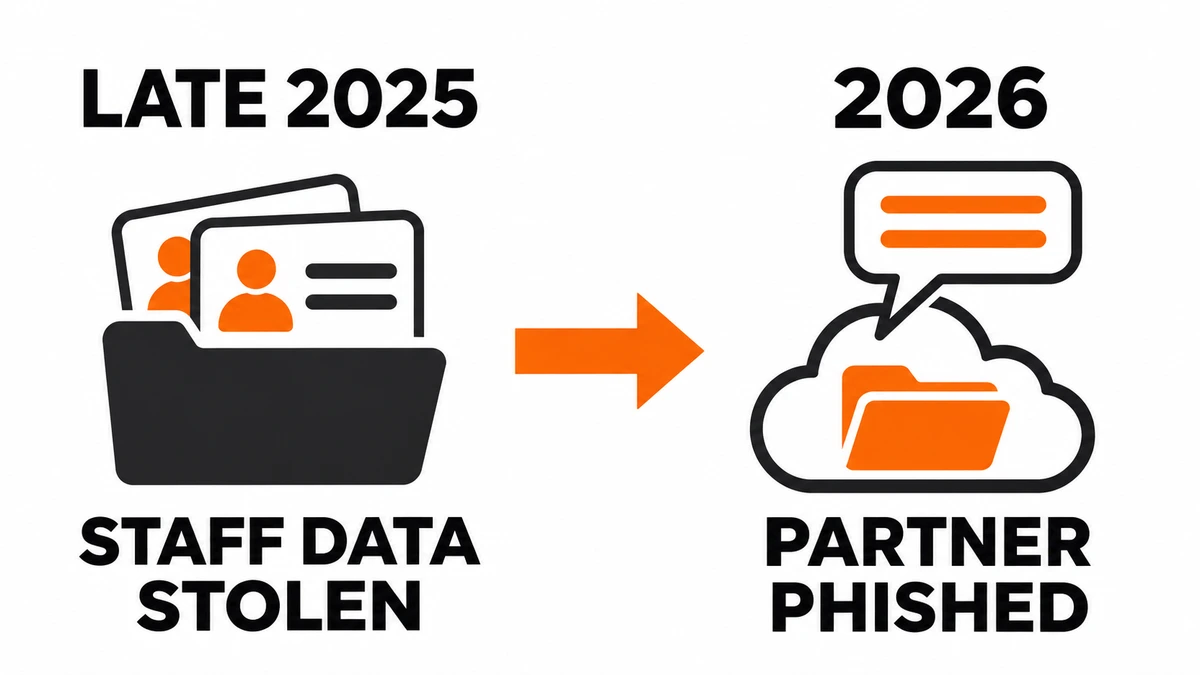
In late 2025, the attackers signed in to a Google Workspace super administrator account using stolen credentials after the administrator accepted a multi-factor authentication (MFA) prompt. The sign-in came through a residential connection near the victim. In the logs, a familiar region could look routine even though the attackers went on to register a device model the organization had never seen.
The account could reach far beyond one person’s inbox. Investigators found that the attackers downloaded the organization’s cloud drive, exported its employee directory and started a Google Workspace Customer Takeout export. That administrative export spans the organization, so an unexpected request in the admin audit log warrants a closer look. During the intrusion, the group also deleted security alerts and enrolled passkeys that let it sign in again after password and session resets. [1]
The next target met a familiar name in a messaging app
In 2026, a person posing as an employee of the first organization contacted someone at a second through an encrypted messaging app. The conversation led to a document-themed phishing link. One clue linking the incidents was a redirect address, submitted to VirusTotal in June, that contained a reference to the first organization. The person behind the profile could draw on a real professional relationship to make the request sound plausible. [1]
The second organization used Microsoft Entra ID to sign in to Google Workspace. Investigators found that the group compromised an Entra ID account, registered a new MFA device and downloaded files that the affected user could access in Google Drive. For responders, that puts the sign-in records and the file-access records in different services. [1]
What to verify after a suspicious request or sign-in
If someone you recognize sends an unexpected document link, confirm the request using contact details you already have. If you entered a work password or approved a sign-in, report the approximate time, the message and what you approved. That gives IT a starting point for reviewing the account. An MFA prompt you did not initiate is itself worth reporting.
For an affected account, administrators should revoke sessions and refresh tokens, check third-party app permissions and remove unauthorized passkeys, devices or backup codes. Review both the identity provider and the applications it signs users into. Look for unusual sign-ins followed by new authentication methods, then check for bulk downloads or sharing. Microsoft notes that applications can keep their own sessions, so responders may also need to revoke access inside the application. [1] [2] See how those checks complement device trust controls after a phished sign-in.
References
- Murchie, J., et al. COLD RELIC: A Case Study in Impersonation and Compromise. Google Threat Intelligence Group and Mandiant, November 17, 2026.
- Microsoft. Revoke user access in an emergency in Microsoft Entra ID. Microsoft Learn. Accessed November 20, 2026.