

Vanderbilt University has reopened most of its systems after a cyberattack, but returning to work still means changing your password and working around disconnected cloud storage. Its November 13 update says Oracle and Salesforce are available again, while OneDrive, SharePoint and Box remain disabled. That is a substantial recovery milestone, rather than an announcement that the incident is over. [1]
A campus shutdown became a staged return
The university’s first November 9 warning asked its community to shut down university devices and disconnect from campus Wi-Fi. Later notices allowed people to resume using devices and a limited set of services, while response teams continued containment. By November 11, Vanderbilt was warning that full restoration could take several weeks.
The November 13, 11:50 a.m. campus update moved that boundary: most applications were now available, including two major business platforms. A separate global Microsoft disruption had also affected access; Vanderbilt explicitly said on November 12 that the Microsoft issue was unrelated to its cyberattack. Treating every failed login that week as one incident would obscure two different problems.
An open application does not reconnect its files
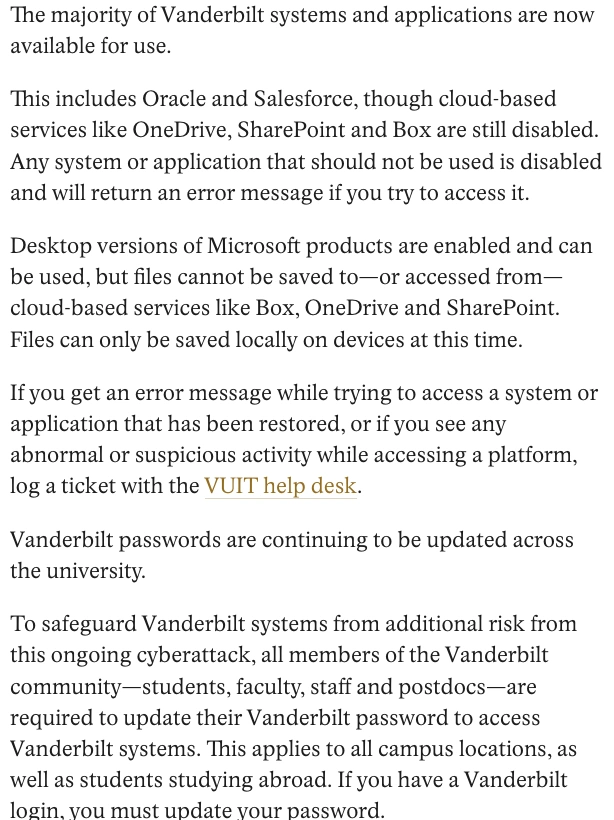
The practical restriction is easy to miss. A desktop Microsoft application can open while the university’s cloud storage remains disabled. In the November 13 notice, Vanderbilt permitted desktop Microsoft products but said files could only be saved locally, rather than retrieved from or saved to Box, OneDrive or SharePoint.
For someone returning to a document, this separates three questions: whether the device is approved for use, whether the application works, and whether its storage dependency is available. Getting past one of those checks does not settle the others. An error from an intentionally disabled service also does not, by itself, identify a newly infected computer.
The university’s incident FAQ makes that distinction explicit. Unexpected file changes, unfamiliar prompts or other abnormal activity should be reported to VUIT; a platform deliberately disabled during recovery can instead return an expected error. People whose devices have been identified as compromised should follow the help desk’s instructions for their particular machine. [2]
The password requirement covers every Vanderbilt login
The reset instruction applies to students, faculty, staff and postdoctoral researchers, including other campus locations and students abroad. It is a university account requirement, not a request limited to people who have noticed a device problem. Use Vanderbilt’s official OneVU password-reset instructions [3], reached through the university’s own site, rather than a link in an unexpected recovery message.
Vanderbilt warned that password changes can take 20–30 minutes to propagate across systems. If access still fails after that interval, consult VUIT’s current instructions or the help desk rather than repeatedly guessing at resets. Self-service recovery requires the existing password or a recovery method already set up; otherwise the help desk handles identity verification. The in-person hours advertised for November 13 were for that date, not a standing weekend schedule.
Credential recovery and service restoration are separate tasks. Our account of the Railway incident and provider-side credential rotation illustrates the same distinction: restoring an interface does not automatically complete the work of retiring exposed access.
The unanswered data question remains separate
Vanderbilt’s FAQ still describes an assessment of what information, if any, was accessed. The notices used here do not establish an attacker’s identity, a confirmed theft total or an initial entry method. Vanderbilt University and Vanderbilt Health/VUMC are separate entities; the university’s recovery update should not be turned into a claim that hospital systems suffered the same outage.
The useful measure of progress is therefore specific: which services have returned, which dependencies remain disabled, and which account or device instructions still apply. The November 13 return of most applications answers the first question while leaving real work under the other two.
References
- Vanderbilt University. “Active Cybersecurity Incident Updates.” MyVU News, November 9–13, 2026; latest dated update November 13, 11:50 a.m.; accessed November 15, 2026. Dated incident and restoration notices.
- Vanderbilt University. “Cybersecurity Incident FAQs.” MyVU News, accessed November 15, 2026. Device, service and account guidance.
- Vanderbilt University Information Technology. “How to Reset an Expired VU Password.” VUIT knowledge base, accessed November 15, 2026. Official OneVU reset procedure.